
How to Break Through an App Rejection Under 4.3(a)? Rule Breakdown, Three Red Lines, and Practical Appeal and Resubmission Guide
Starting from the original text of App Store Review Guideline 4.3(a), this breaks down the three red lines for rejection: homogenized reskinning, excessive borrowing from hit apps, and account association. It provides a three-step process after receiving a rejection: self-check, read the email, and write an appeal, as well as strategies for differentiation design before launch and preparation of submission materials, helping developers reduce the probability of rejection under 4.3(a).
1. What Is 4.3a? First Understand Which Rule You Were Rejected Under
1.1 The Original Text and Meaning of 4.3(a) in the Review Guidelines
Let's start with a scenario everyone has experienced: after submitting for review, you wait two days, open the email, and see the title "Guideline 4.3(a) – Design / Spam," and your heart instantly sinks. This feeling was exactly the same as when I launched products early on. There were even one or two times when I could not recite the full description of this clause and could only curse while flipping through the developer backend.
Actually, the original text of 4.3(a) in the App Store Review Guidelines is not complicated. It roughly means: do not submit spam apps, meaningless apps, duplicate content, or apps highly similar to apps already on the store. If a reviewer believes your app has no unique value and is merely copy-pasting the model of an existing product, they will reject it directly under this clause. The full number of the entire rule is "4.3(a)." It belongs to a sub-rule under the "Design" chapter, but it is often mentioned together with "4.3 Spam," so people habitually call it "rejected under 4.3a."
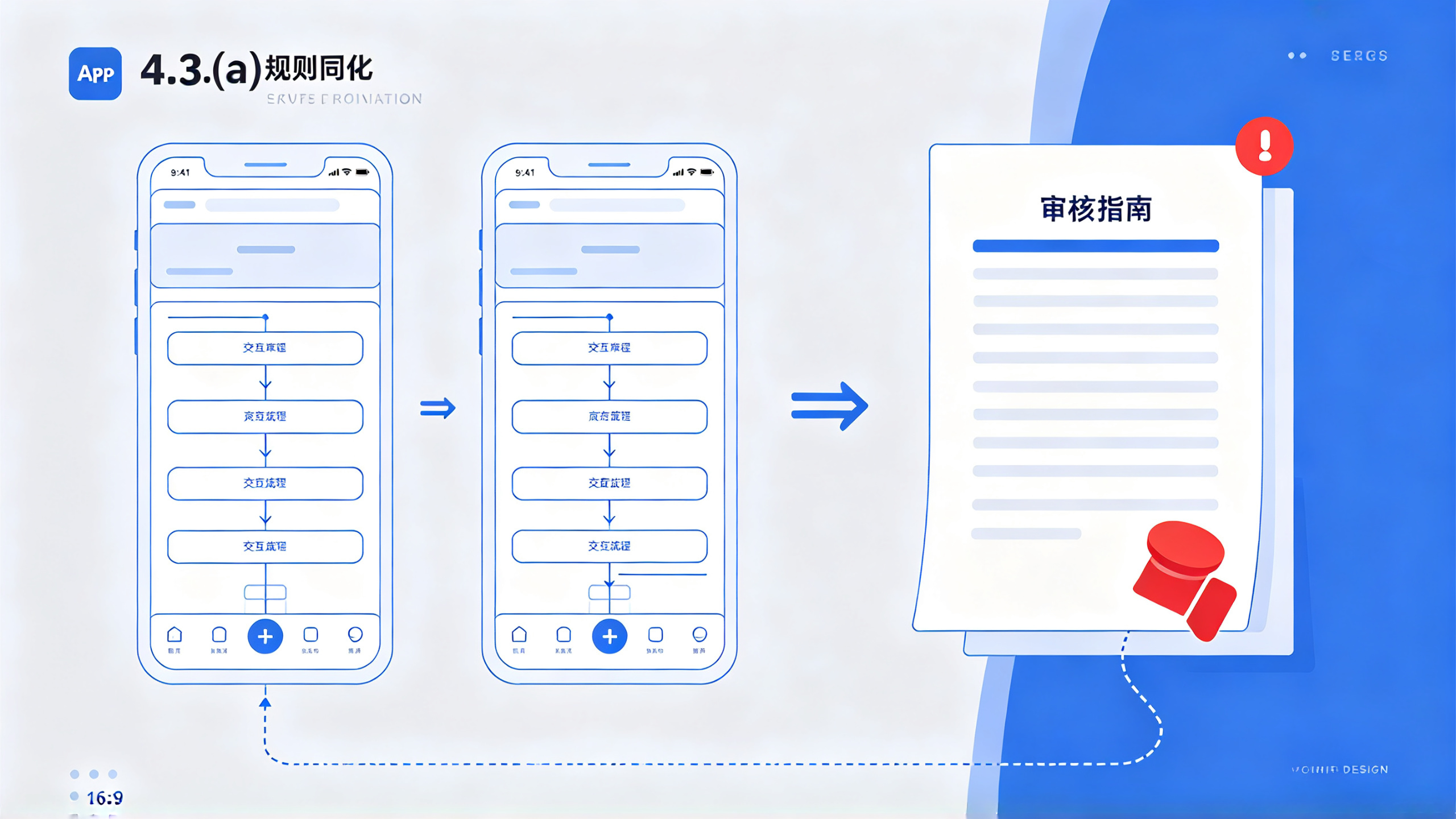
Many beginners easily confuse it with 4.3.0. In fact, 4.3.0 is another clause about "similar apps," while 4.3(a) leans more toward "duplicate content, pure reskinning, no differentiation." To put it plainly, reviewers go through hundreds of apps every day. With one glance, if your app looks like, functions like, is named like, and even has screenshots like an existing product in the store, then it is most likely 4.3a. This does not mean you copied code; it means you "did not bring users anything new."
1.2 Why 4.3a Has Become a Disaster Area for "Mystical Rejections"
Among the developers I have encountered, eight out of ten have been stuck by 4.3a. Why is it specifically this one? Because this rule is highly subjective. Code that fails to compile, missing permission descriptions, and crashes are all objective problems; once fixed, they pass. But 4.3a judges "what is the meaning of your app's existence." This kind of question is hard to quantify. The same product submitted under a different account may pass once and be rejected once, and even within the same day different reviewers may give different results.
On top of that, Apple has clearly been tightening review policies in recent years, especially for categories prone to mass publishing such as utility, news, and finance apps. The company wants to control the large number of products in the App Store that are "reskinned and then used for user acquisition," so 4.3a has become the handiest tool. The reviewer's authority is also simple: they do not need to prove you copied; they only need to feel that "this thing is no different from some app already on the store" to reject you.
So you will find that the most painful part after a 4.3a rejection is this: unlike crash issues, it does not come with clear modification instructions. The email often contains only one sentence, such as "your app appears to be generated from the same template," and the rest is entirely for you to guess. This is also why there are a large number of cases online of failed 4.3a appeals: many people do not even find the real reason for rejection before replying blindly, and the more they explain, the worse it gets.
2. Three Major Taboos: Pitfalls I Have Fallen Into and the Red Lines I Have Summarized
2.1 Taboo One: Homogenized Reskinning, Changing the Name of One Codebase and Publishing It
This is the most unfair but also the most common way to die. Many teams make products by "finding a benchmark app, stripping its feature list, and having developers build one accordingly." Some companies even directly use the same source package, modify the bundle id, and submit. You think, "I changed the theme color, changed the icon, and added a few new features," but what the reviewer sees is an identical interface structure, identical bottom tabs, identical interaction flow, and even a launch ad that looks about the same. In the reviewer's eyes, this kind of product is standard "spam."
Early on, I made a bookkeeping tool. At the time, a product in the market was especially popular, and we thought "adding voice entry for one transaction" would differentiate us. As a result, after submission we directly got 4.3a, and the email even attached a comparison screenshot of our app and the competitor, with visible interface similarity exceeding seventy percent. That taught me a lesson: reskinning is not innovation, and adding features does not count as differentiation either. Unless the feature is core and users can clearly perceive the difference, reviewers will not buy it.
There is a misconception that is very easy to fall into: some people think that as long as "the code is completely written by yourself," you will not be judged as 4.3a. But in fact, 4.3a does not look at whether the code is original; it looks at whether the "product form" is duplicated. Even if your code is original from beginning to end, if your product model is too similar to an existing hit, you will still be rejected. Apple review is not code review; it is product review.
Also be especially careful with "rapid mass publishing" operations. One underlying codebase, changed keywords to generate dozens of packages, distributed to different accounts for submission. This practice will almost certainly trigger 4.3a, and once triggered, account reputation will also be affected. Apple's ability to identify "shell packages" is far stronger than we imagine: besides code similarity, it also looks at icon silhouette features, screenshot composition style, in-app purchase item names, template text in privacy policies, and so on. To put it plainly, even if you obfuscate the code, if the visual and copy layers do not pass, you will still be exposed.
2.2 Taboo Two: Excessive Borrowing of UI and Features from Hit Apps
The second taboo is "riding on the coattails" of a hit app's visual style and core features. Many people think, "Users already have established habits. If I make it the same as the competitor, users can get started at zero cost." From a product perspective, this may make some sense, but from a review perspective, it is a dead end.
Reviewers generally open the App Store directly on their computers, search your category, see what the top results look like, and then compare your screenshots with them. If your color scheme, font style, card layout, and icon style are all highly similar to a well-known product, even without code plagiarism, the reviewer will think you are "attempting to imitate." This is especially true for products that received a large number of featured placements right after launch or that have long dominated the charts. Apple is strongly protective of them and does not allow others to appear in the form of "high imitation."
A friend of mine made a calendar tool. To ride on the minimalist style of a well-known calendar, the overall design took a minimalist route, and as a result it was rejected twice under 4.3a. Later he told me that the review email clearly stated, "Your app has a highly similar UI layout to [a certain app]." Later he spent a great deal of effort changing the design, turning the timeline into a circular view, changing the primary colors from black, white, and gray to light blue plus orange, and specifically creating the unique feature "weekly plan mind map." Only on the third attempt did it pass.
This is not to say that you cannot learn interaction patterns from excellent products, but rather that you cannot "replicate them wholesale." The correct approach is to extract usable design concepts, and then make sufficiently different expressions in information architecture, color scheme, and component shapes. For example, when both do note-taking, Notability and GoodNotes have clearly different styles, but both can live well in the store because each has its own unique value. Your App must let people know at a glance that "this is another thing."
In addition, pay attention to screenshots and promotional materials. I have seen many developers whose App itself is their own design, but whose ASO screenshots directly use the template style of a competitor—the same large headline, the same phone frame, the same selling-point sentence patterns. If this kind of screenshot is seen by a reviewer, it can easily affect the judgment of the App itself as well, causing you to inexplicably get a 4.3a.
2.3 Taboo Three: Association risks caused by confusion between accounts and App information
This taboo is the most hidden. Many developers never even think about it, but in fact it is often an "accomplice" to 4.3a. Apple's review system has an anti-association mechanism that detects whether developer accounts are associated, such as the same historical submission records, the same mailing address, the same contact phone number, the same payment agreement information, and even the same crash log symbol tables. Once your account is judged to be part of a certain "shell package matrix," all your listing applications will by default receive stricter review, and 4.3a naturally becomes the most commonly used reason for rejection.
I personally experienced a particularly typical case. At that time, the company had two product lines, each attached to developer accounts registered under two different entities. A tool App submitted for review under account A was rejected with 4.3a. I thought it was a product problem and pulled it back for major revisions. As a result, after revising it and submitting again, it was still 4.3a. Later I discovered that the two accounts used the same address and the same contact phone number, and the App analytics settings in the backend had also enabled data sharing, so the association signals on Apple's side were very obvious. After changing the contact information, turning off the association switch, and completely separating the domain and server as well, the same product passed only after being submitted again.
So if you are maintaining multiple accounts at the same time, you must make "identity isolation" extreme: the basic information of the registration entities must not overlap, and App names, company names, contact information in the privacy policy, technical support emails, domain registrants, and server IPs should be separated wherever possible. It is also recommended that the "App Analytics" and "Advertising" services in the Apple Developer backend be kept for use only by the main account, and all other sub-accounts should have them turned off. Even the iOS version of the review device, the Xcode environment, and the network egress IP can all serve as bases for association judgment, so if conditions permit, try to differentiate them as much as possible.
In addition, do not mix the devices used to log in to iCloud and App Store Connect. These may seem like small matters, but Apple's anti-fraud system has been accumulating this data all along. I have seen people who, because two accounts had logged in to Xcode on the same Mac, were both required to verify their identities at the same time, and were then blacklisted. Although the words "4.3a" may not necessarily be written directly, the rejection rate for subsequent submissions will rise significantly. The core of this taboo is: do not give Apple any clue that connects you with "bulk operations."
3. Practical response process after receiving 4.3a
3.1 Step One: Calmly self-check and list the chain of evidence
After receiving 4.3a, the most important thing is not to appeal, but to self-check first. Many people, in a hurry, directly write in the Resolution Center, "Our App is completely independently developed." This kind of reply is basically as good as no reply, and the reviewer will not even look at it more than once.
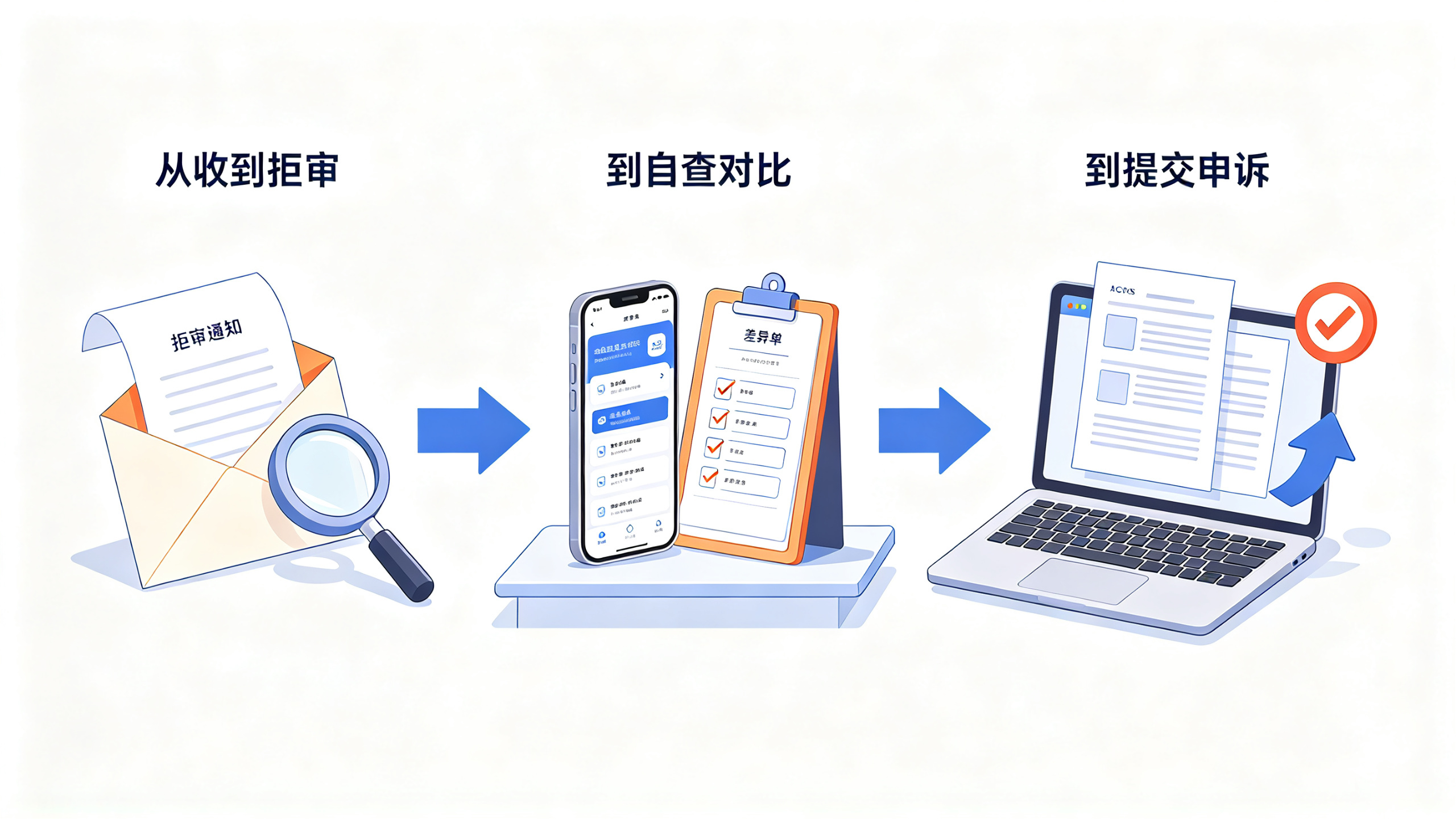
What you need to do is list, one by one, the differences between "my App and the similar Apps that Apple would consider it to resemble." First open the rejection email and see whether it includes screenshots or specific explanations. If not, go to the App Store, search your own keywords, find the top 10 similar products, and compare them one by one with screenshots. Focus on comparing the following dimensions: feature list, information architecture, page layout, key interaction flows, business model, and target audience.
Then organize into a document, in the form of text plus charts, the places where your App differs from competitors in these dimensions. Note that the chain of evidence here is not for you to look at, but for the reviewer to look at. So the description must be specific. For example, "the competitor uses a list-style information feed, while our App uses a card-style timeline and supports left-right swiping to switch dimensions" is much more useful than "we are different."
At the same time, also check whether traces of other Apps remain in your own code and resource files. For example, if the previous project was copied, there may still be class names, image assets, and even the loading animation on the launch page from the old project. Once these traces are recognized by review tools, it is basically conclusive evidence. I suggest that before submitting for review, use the terminal to globally search the project directory for old bundle IDs, old App names, and old copyright notices, and clean up what should be cleaned up.
3.2 Step Two: Interpret the review email and rejection screenshots
Apple's 4.3a rejection email, most of the time, has only one sentence, such as "Your app appears to be generated from a common template," followed by an App Store link or a few screenshots. At this time, do not stare at that sentence and repeatedly speculate. Focus on which App the screenshots and link point to.
If the screenshot shows a certain competitor, then it means homogeneity at the product level really exists, and you need to make targeted differentiation adjustments. If the link points to another App of yours that is already listed, then it means the reviewer noticed an account or code association. If the screenshot shows multiple Apps pieced together, it means you have been identified as a member of a shell package cluster, and this must be rectified from the account system.
There is also another situation where the review email only gives the clause number 4.3a, without any screenshots. This belongs to a "purely subjective rejection" or "preset rejection." It is possible that the reviewer did not look carefully at your App at all and merely judged from the metadata that it was "most likely a junk App." In this case, the success rate of directly appealing is not high. A better approach is to first modify the App name, subtitle, description, and the visual style of the screenshots to ensure that they look significantly different from other Apps in the store search results, and then submit for review again.
Here is a practical technique: design the way the App is displayed in the App Store as if it were a "business card." If your name, keywords, description, and screenshots as a whole look like a real independent brand, the reviewer will be more patient when clicking into it from the search page; if at a glance it looks like "bulk-generated materials," then there is basically no hope.
3.3 Step Three: Write an effective appeal reply
After the self-check is completed and the problem is clear, you need to write an appeal reply. If the problem is at the product level, explain the functional differences and unique value. If the problem is at the association level, explain that the account entities are independent companies and provide the corresponding supporting materials.
It is recommended that the reply format be divided into three paragraphs:
In the first paragraph, express respect and explain that you understand the 4.3a rule, and that the App submitted this time is an independently designed product.
In the second paragraph, use specific details to prove that your App is clearly different from the similar Apps mentioned. You can list a feature comparison table, or include images to explain your unique features and use cases.
In the third paragraph, clearly promise that you have already made rectifications, and hope that the review team will reconsider.
It is not recommended to write too long here. Reviewers have limited time, so it is best to keep it within 300 to 400 words and highlight the key points. But if you have very strong visual difference evidence, such as completely different UI screenshots, you can package and upload them to a third-party image hosting service, and then attach the link in your reply. Rest assured, Apple's appeal system allows external links.
There is also a frequently asked question: how long after replying can you receive a result? Under normal circumstances, the status will be updated within one day, and no more than three days at most. If there is no news after more than three days, you can proactively ask about the status in "Contact Us" in App Store Connect, but do not refresh or send messages frequently, otherwise you may easily be flagged as harassment.
4. Avoid 4.3a from the source: design and submission strategy before launch
4.1 Make the product's "soul" unique enough: differentiation of core selling points
Many people ask: "Why is my App still rejected under 4.3a even though it clearly has unique features?" The answer is often: your unique feature is not "core" enough, or you have hidden it too deeply. A reviewer may only spend a few minutes looking at an App. They will only scan the home page, one or two secondary pages, and your store screenshots. If your unique feature can only be seen after registration and login, then it effectively does not exist.
So when designing the product, put the "feature that best demonstrates differentiation" on the first screen and in the core flow, and reflect it densely in the App Store screenshots, description, and keywords. For example, if you are making a bookkeeping App and insist on making "multi-person collaborative bookkeeping" the differentiator, you should make it the onboarding feature at first launch, so that users can experience it without any setup. In this way, when the reviewer opens the App, they can see, "Oh, this is a bookkeeping tool that is different from others," and naturally they will not think you are a reskinned product.
If the product itself really has difficulty finding a significant differentiator, then you should consider making an effort in the service model. For example, for weather Apps, some only provide forecasts, while others add "clothing index + air pollution map + fishing advice." The latter is clearly distinguished from the former in terms of feature breadth. Even if the core technology is still based on system weather data, as long as the packaged form is different, reviewers can tell them apart.
In addition, differences in business model can also serve as a defense point for 4.3a. For example, you provide a free offline tool, while others use a subscription model; you are a B2B model and require a corporate email to log in, while others are pure C-end free products. These differences should be proactively explained in the review notes; do not wait for the reviewer to discover them on their own.
4.2 Packaging and material preparation for the submitted version
Submitting for review is not as simple as just submitting the App you have finished developing. Its essence is "selling your App to the reviewer." So you should prepare the submission materials as if you were preparing a new brand for launch.
First, the App name and subtitle. Do not rely too much on stacking popular words, and even less on overused suffixes like "XX Assistant" or "XX Master." It is best to make your App name sound like a brand with flesh and blood. For example, "Pocket Checklist" is more recognizable than "Minimalist Checklist Tool." For the subtitle, clearly write the most core differentiator. For example, "Lightweight Team Collaboration Whiteboard" is much more advanced than "Multifunctional Office App."
Second, keywords and description. Do not just pile up words. Write a clear, logical passage explaining what problem your product solves, who it is suitable for, and where its advantages lie. Reviewers are people too. When they encounter a description that reads like human language, they will more or less have a favorable impression. Conversely, if the description is full of keywords separated by commas, it is almost telling the reviewer, "This is a bought-traffic package."
Third, screenshots and preview video. The order of screenshots should be like telling a story: the first one points out the core scenario, the second shows key capabilities, the third presents the unique experience, and the fourth clearly explains the value of use. Do not make all six screenshots into a list of features just to fill the quota. There are many AI tools now, but it is not recommended to use generative AI to create fake demo screenshots here. Apple has requirements for the authenticity of screenshots, and fabrication is a serious violation.
Fourth, the privacy policy and technical support page. Although these two seem to be only compliance materials, Apple's review backend will automatically read the contact information and company name in your privacy policy webpage and compare them with the developer backend. If this App is recorded under company A, but the privacy policy says company B, it can be found out with a check. It is recommended that each App use an independent privacy policy page with a clear domain name, and that the contact email, address, and company name left in it be completely consistent with the developer account.
4.3 Isolation of account matrices and device environments
This strategy is mainly aimed at teams that truly have a "multi-product line" need, but "multi-product line" here means normal operation, not making shell packages. On the premise of compliance, you can use different individual entities to register different accounts and separately maintain products in different tracks. But you must achieve sufficiently clean isolation.
My approach is that each developer account corresponds to an independent developer team, an independently handled bank card, an independent contact phone number, and an independent email domain. When submitting materials, make sure that no two sets of materials contain the same mobile phone number, address, or contact person. If you have multiple Apps using the same technical support email, it is best to apply for a separate email with a prefix for each App, such as support@app-a.com and support@app-, so that from the email suffix it cannot be seen that one entity is operating them.
For submission devices, keep one computer paired with one developer account. If you must switch accounts on the same machine, then use a separate browser profile and an independent network proxy environment, and do not repeatedly change the team id back and forth in the same Xcode project. A safer approach is to configure an independent VM or remote workstation for each account, completely not sharing disks and login states.
In addition, if you have multiple accounts and one of them is rejected under 4.3a, the other account should temporarily not take any submission actions. This is because at this time Apple may have already included these two accounts in a watch list, and any new submission will be subject to focused review. It is safer to operate the other account only after the previous account's issue is resolved and its status is stable.
5. Common questions and practical experience sharing
5.1 What to do if you are rejected again after appealing
This is the most frustrating situation: you spent two whole days writing appeal materials, changed the UI, and redid the screenshots, but when you resubmitted, it was still 4.3a. At this time, do not start doubting life first. Most likely, you did not fully fix some details.
I have summarized the three main possibilities for a second rejection: First, the reviewer is not the same person as last time, and he has no idea what you said in your previous appeal. He only looks at what you currently submitted. If the overall look and feel of the product is still similar to other Apps, it will still be rejected. Second, although your differentiated features exist, they were not triggered at all when the reviewer actually tested them. For example, they require network requests or specific device permissions, and these did not pass in the review environment, which means it was all for nothing. Third, the account-level association signals have not been eliminated. Apple has flagged your entire team, and changing the product is useless.
So after a second rejection, absolutely do not repeat the cycle of "modify-submit-review-modify-submit-review again." That only wastes review attempts. You need to step back and reassess whether it is a product problem or an account problem. If it is a product problem, do a more thorough revision. If it is an account problem, switch to a completely independent new developer account and cut off all previous traces cleanly. Many developers ultimately solve 4.3a by "switching to a new account" rather than "fighting the reviewer head-on." This is very realistic, but it is indeed effective.
5.2 The correct way to handle a misjudgment
There are also very rare cases where your App is indeed completely original and highly unique, but it was misjudged as 4.3a. At this time, the most effective appeal is not to reason with them, but to provide evidence. For example, if your App has a unique media resource library, attach a screenshot of your server-side backend in the reply, showing that users have uploaded a massive amount of original material. If your App has a community comment feature, provide your user growth data and retention data to prove that the product is genuinely operated.
Apple also refers to the App's operating status during review. If you have a product, a WeChat official account, and in-app feedback channels, and these resources are real and active, they can all serve as evidence supporting your independent operation. Personally, I attach a link collection of "product + App Store screenshots + screen recording of core features" in the appeal reply, so that even if the reviewer does not open the App, they can fully understand the product.
But pay special attention: do not use "threatening appeals," such as "If you do not approve me, I will complain to Apple's legal department." Such content will only make the review team more averse. Apple's review rules inherently allow them to reject any App on the grounds of "not unique." In the end, you have not committed any hard violation; you are just gambling against subjective judgment. Rather than being emotional, it is better to speak with materials.
5.3 Some easily overlooked details
Finally, I will share a few small details I have summarized during actual submission and review. Not every one of them may directly save you, but in the long run they can effectively reduce the probability of being rejected for 4.3a.
For icons and splash screens, use original illustration assets as much as possible. Do not use a large number of "generic templated" graphic combinations, such as blue gradient globes or orange gears, which are hit items in asset libraries.
The App's version update notes should be specific. For example, "fixed the issue where content did not display when sharing" is more trustworthy than "optimized experience." Reviewers occasionally also open the version history.
The names and pricing strategies of in-app purchase items should not be completely identical to those of competitors. If even the product names are the same, that is handing them a weakness.
Try to avoid including completely identical interfaces for the "iOS version" and "iPad version" in the same submission package. Apple cares a lot about iPad adaptation. If your iPad version is just simply stretched, it will also be classified as "rough design," increasing the tendency to judge it as 4.3a.
If third-party SDKs are used, be sure to check whether the SDK has modules that automatically collect device information. Some aggregation SDKs collect IDFV and IDFA and send the data to advertising platforms. This will cause two seemingly unrelated Apps to produce associated characteristics on Apple's server side.
These experiences are not written in any official documentation. They were reverse-engineered by me and many peers from the lessons of repeated rejections. You can treat them as a kind of "pitfall-avoidance feel." You do not have to match every point exactly, but taking one more look before submission is always better than regretting it after rejection.
In the actual process of operating an App, my biggest feeling is that "4.3a is not scary. What is scary is not knowing why you were rejected and then seeking treatment blindly." As long as you make the product differentiation solid, keep the account environment clean, and make the submission materials look like those of a serious brand, the vast majority of 4.3a problems can be solved within one or two iterations. In this process, the most taboo things are anxiety and wishful thinking. So even if you are rejected again this time, do not rush to flash your device or switch accounts. First calm down and go through the steps mentioned above one by one. You will find that the answer is actually hidden in the materials you submitted yourself.