
macOS
Supports macOS 10.15 and later
Current version 0.1.209196.6 MB
码友上架-0.1.209-macOS-arm64.dmg
Download for macOSApple Silicon
 Masyou Browser
Give each Apple developer account a separate browser environment for sessions, network settings, account data and upload tasks.
Reduce account crossover and keep every publishing task in a clear, controlled workspace.
Download the current installer published by the admin package service.
Supports macOS 10.15 and later
码友上架-0.1.209-macOS-arm64.dmg
Supports Windows 10 and later
码友上架-0.1.209-Windows-x64.exe
Version and filename details are synchronized from the package service when available.
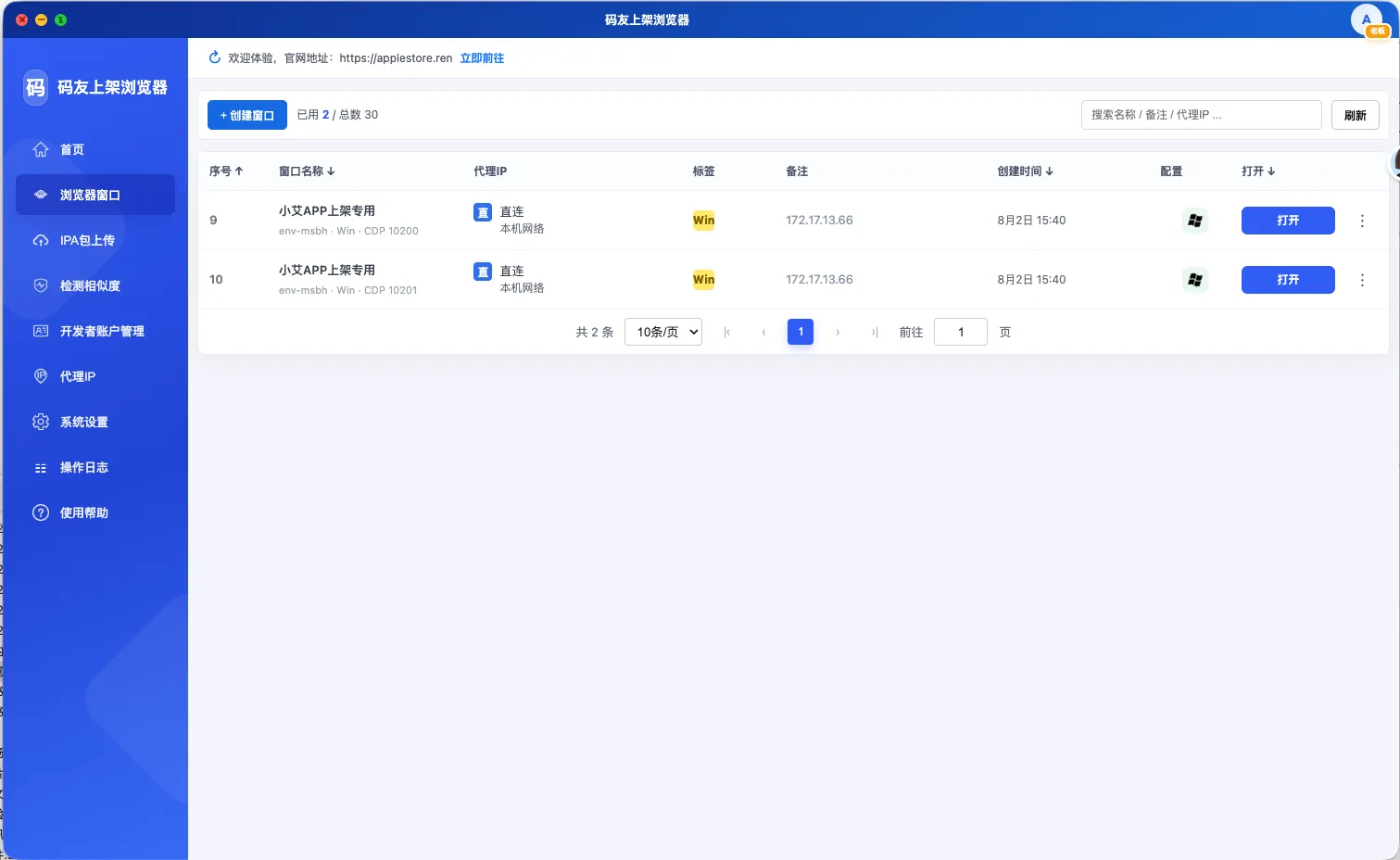
Create separate windows for each Apple developer account or project, with independent sessions, local data and task settings.
The window list displays names, network routes, labels, notes and creation times for fast, reliable access.
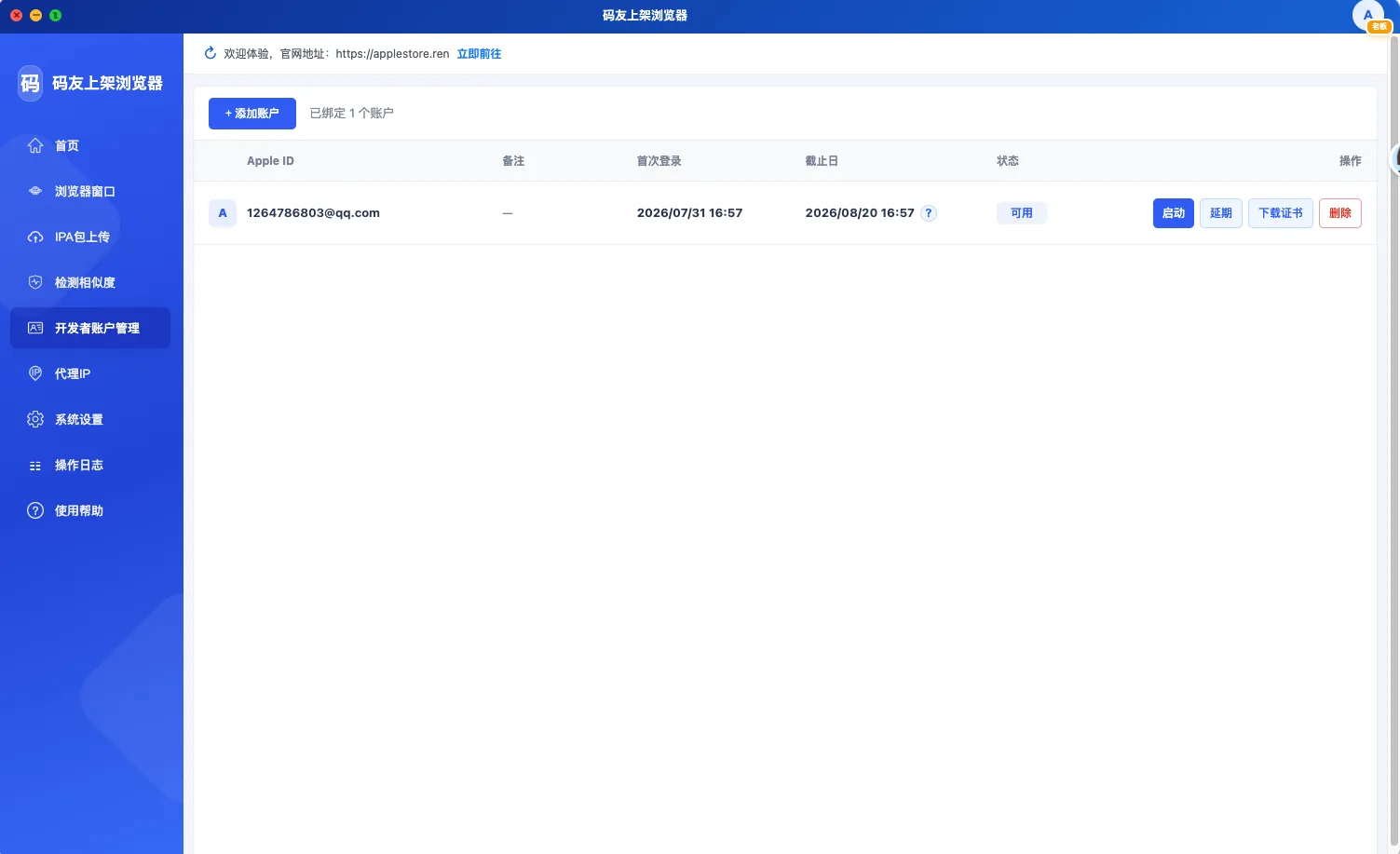
Maintain linked Apple IDs and review first-login dates, authorization periods and current availability.
Launch the related environment, extend access or download account certificates directly from the same workspace.
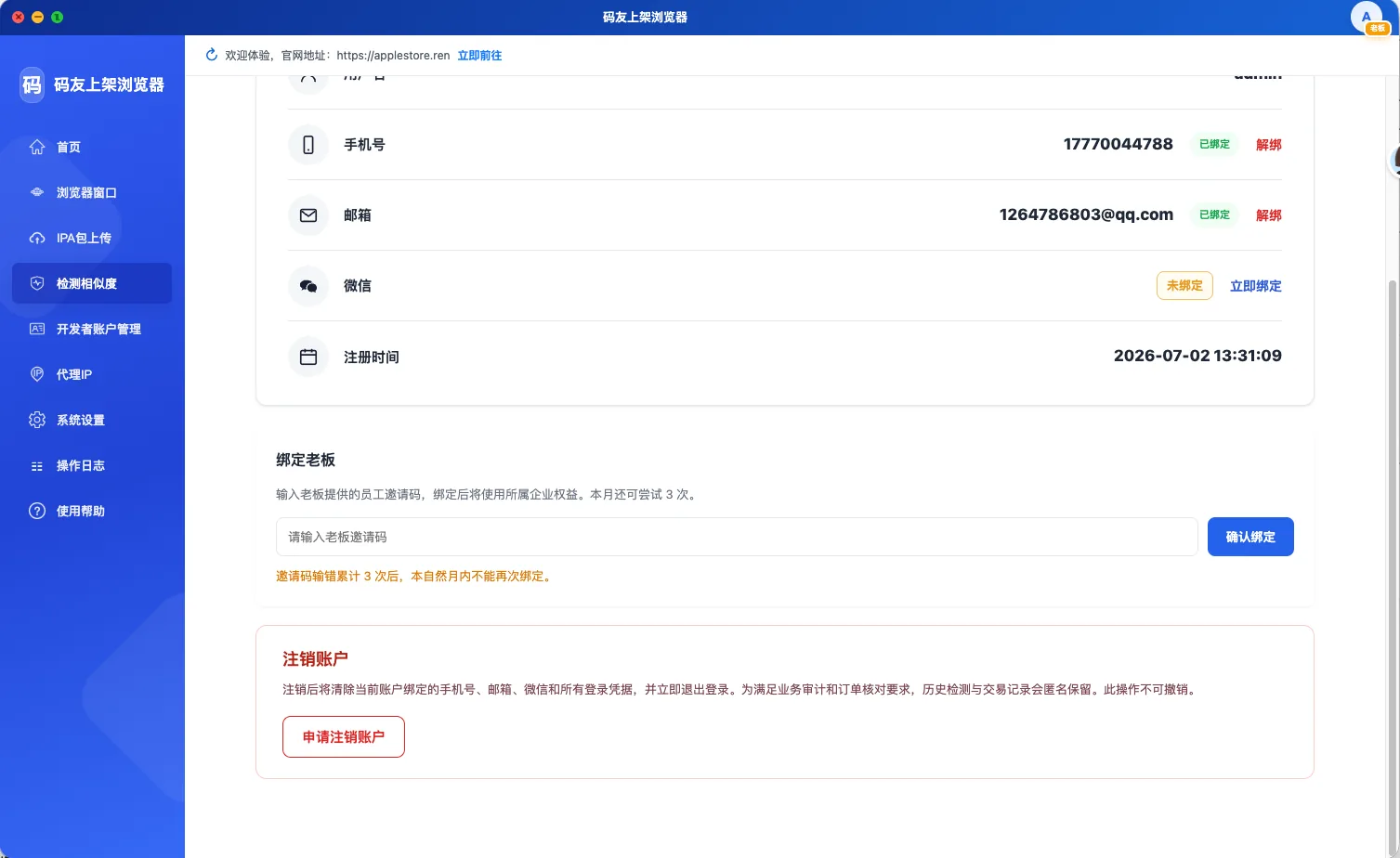
Join an organization through an invitation and use developer resources assigned by an administrator.
Keep identity settings and team access connected to account, analysis and publishing tasks.
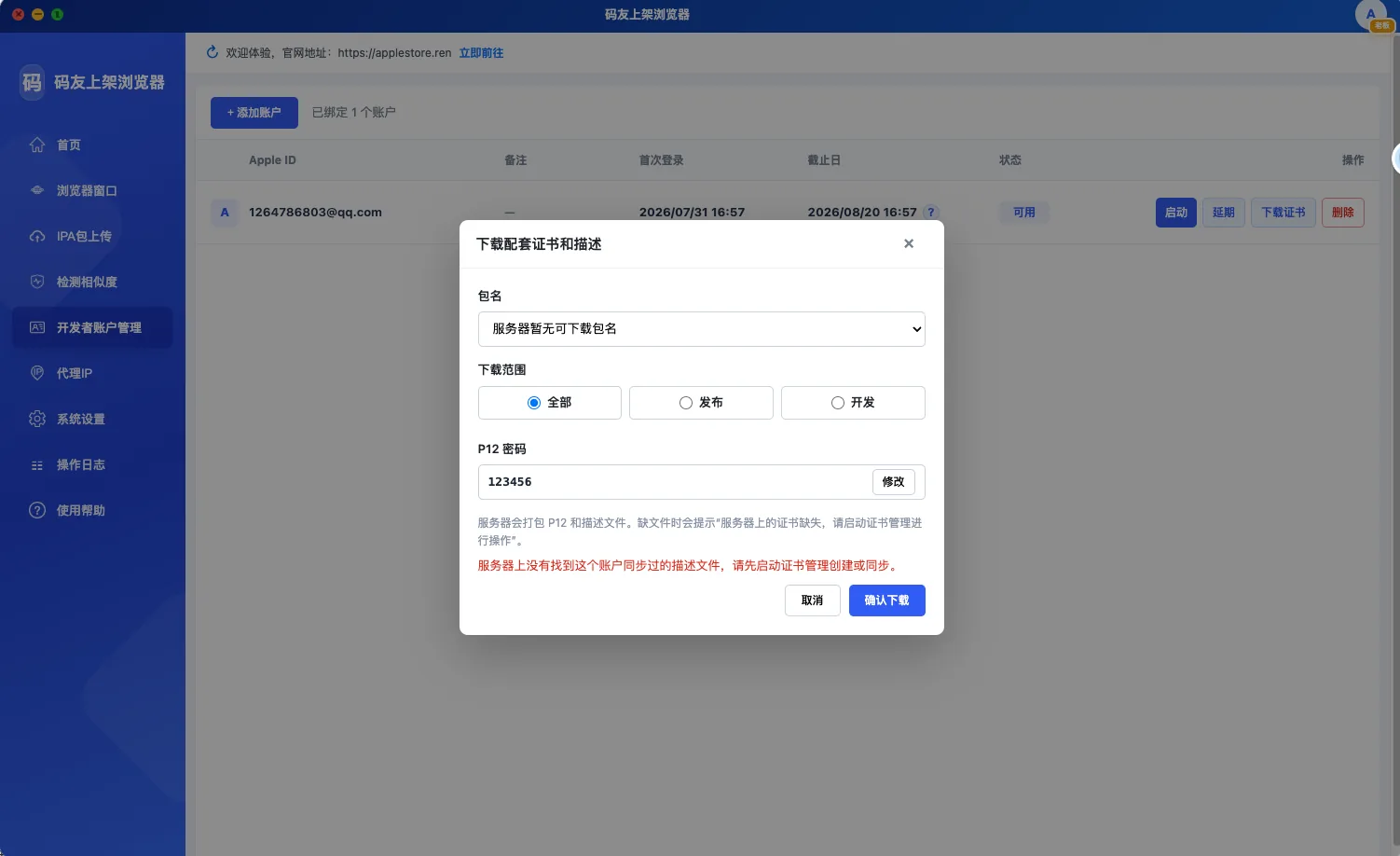
Select an account, package scope and development or distribution purpose to download P12 certificates and provisioning profiles.
Set the P12 password before download and avoid manually collecting submission assets across multiple portal pages.
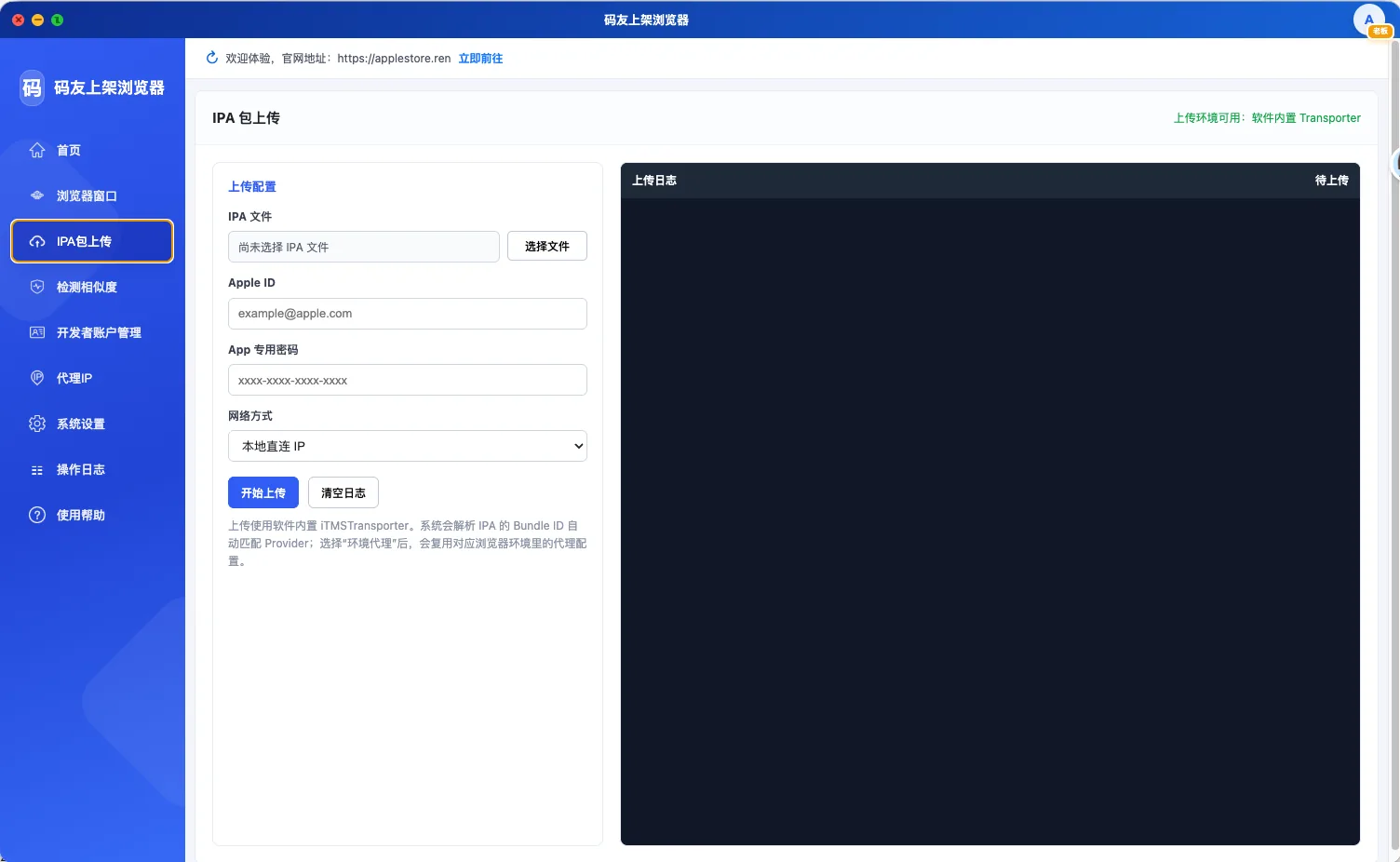
Select an IPA, Apple ID and app-specific password, then submit with the built-in iTMSTransporter workflow.
The upload task uses the current environment and network profile while displaying live upload logs.
Keep accounts, networks and submission tasks in separate workspaces for stable team collaboration.
Download the browser