
Developing an App Independently with AI: A Full-Process Practical Method from Requirement Sorting to Release, Flutter+Supabase
How can independent developers use an AI toolchain to complete the full app process? This article breaks down specific methods from requirement documents, prototype design, and database Schema to Flutter development, debugging and optimization, and dual-platform release, and explains AI's role boundaries in code generation, state management, and debugging, helping you avoid detours.
1. From Zero to One: Breaking Down the Overall Approach to AI-Assisted Development of an App
1.1 Why Individual Developers Can Now Complete an App Independently
Five years ago, if an independent developer with no team and no funding wanted to build an app from scratch, just the areas of frontend, backend, database, and server operations and maintenance were enough to be a huge burden. But the situation has completely changed in the past two years. The maturity of AI programming tools has turned “one person is a team” from a slogan into reality. In the past six months, I personally went through the entire process of an app from idea to release in an AI-assisted way, stepped in quite a few pits, and also summarized a relatively stable methodology. Today I will completely break down this set of things.
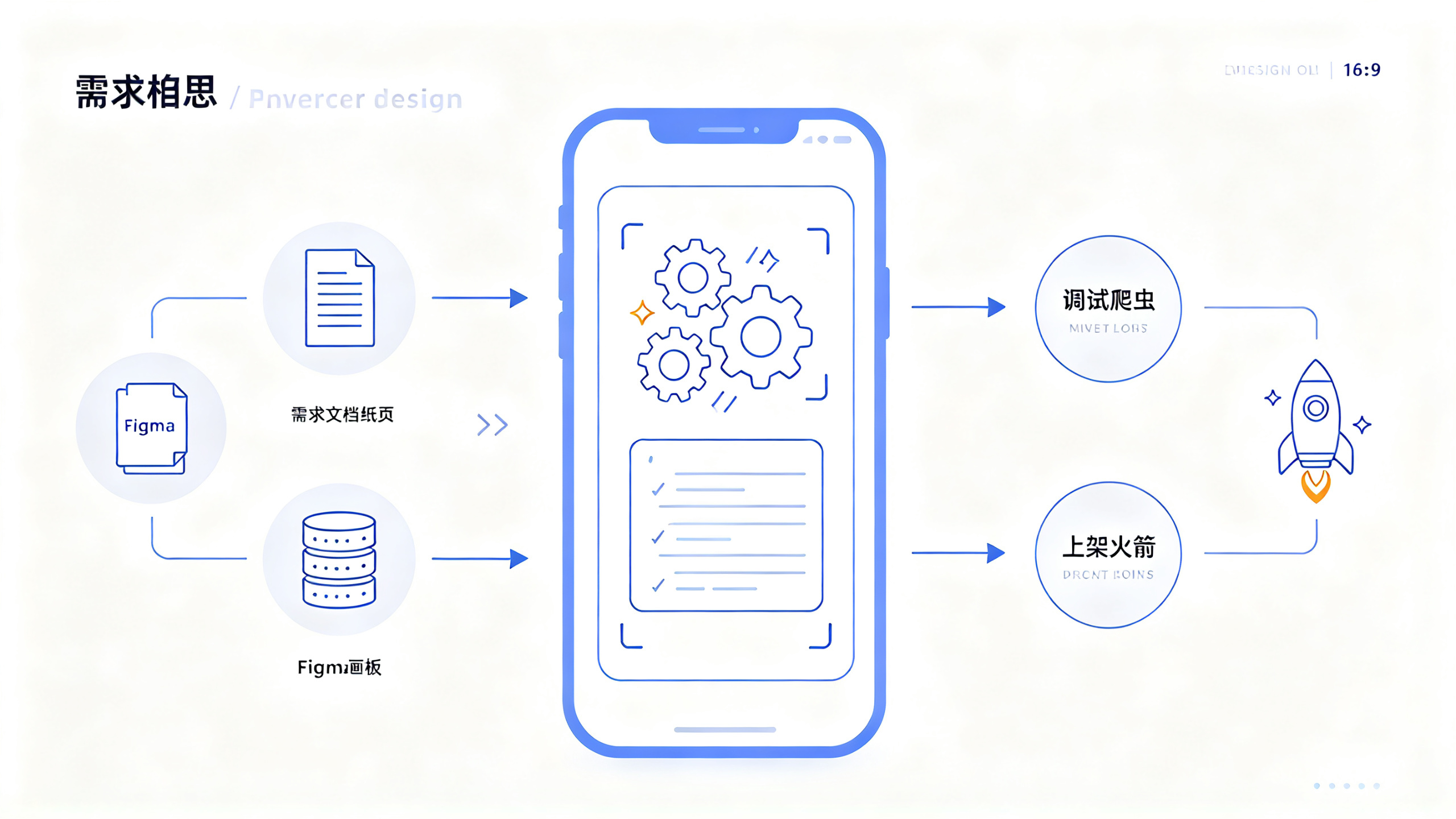
First, let me make clear what this project is actually doing: using an AI toolchain as assistance to independently complete the entire process of requirement sorting, prototype design, code writing, testing and debugging, packaging, and release for a mobile app. The core problem it solves is that traditional app development requires at least five roles to collaborate: product manager, UI designer, frontend engineer, backend engineer, and test engineer. The cycle often takes three to six months, and the cost easily exceeds one hundred thousand; with AI, one person can complete a fully functional MVP version within four to eight weeks, and the cost can be compressed to a few thousand yuan or even lower.
Who is this method suitable for? It is suitable for independent developers who have basic programming concepts but do not want to get deeply trapped in technical details, entrepreneurs who want to quickly validate product ideas, and junior to intermediate engineers who hope to improve development efficiency. If you do not understand code at all, you can also follow along, but you will struggle more when encountering complex logic. It is recommended to start with the simplest utility-type app.
1.2 Technology Selection: Why I Ultimately Chose This Combination
For technology selection, my principle is “the framework AI is most familiar with is the best framework.” This sounds a bit counterintuitive, but in actual use you will find that AI's code generation quality for mainstream frameworks is far higher than for niche frameworks. I tried asking AI to help me write Flutter and React Native code. The former's generation quality was clearly more stable, because there is more high-quality Flutter code in the training data.
In the end, my selection was as follows:
Layer | Technical Solution | Reason for Choice |
Cross-platform framework | Flutter 3.x | High quality of AI-generated code, one codebase outputs both iOS and Android |
State management | Riverpod | More modern than Provider, higher accuracy in AI understanding |
Local storage | Hive + SQLite | Use Hive for lightweight scenarios, SQLite for complex queries |
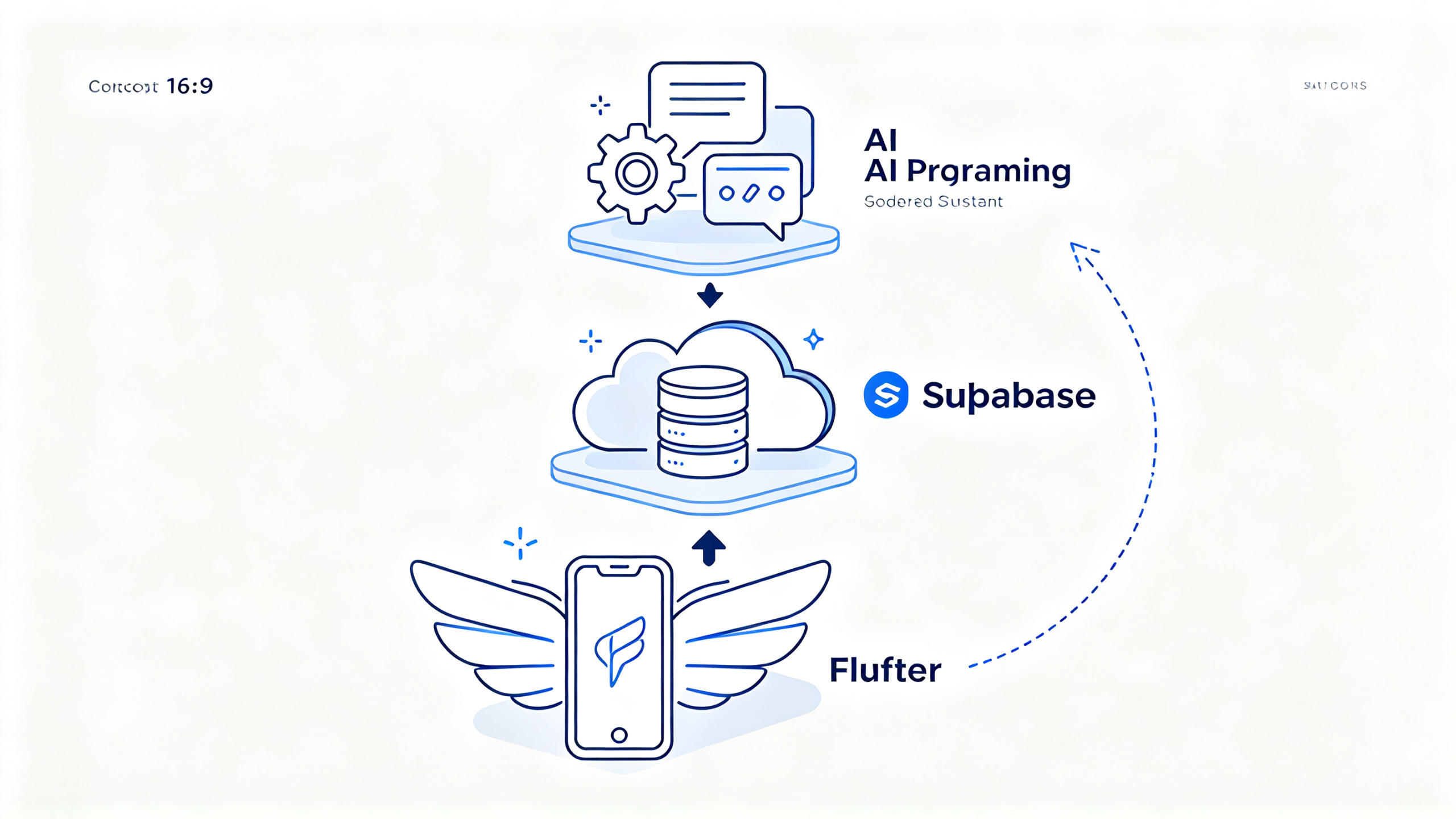
Backend service | Supabase | Open-source BaaS, AI is very familiar with its API |
AI programming assistant | Claude + Copilot | The former is good at architecture design, the latter is good at inline completion |
Prototype design | Figma + AI plugin | Quickly produce interactive prototypes |
Here I will focus on why I chose Supabase instead of building the backend myself. Building the backend yourself means you have to handle the whole set of servers, databases, authentication, API gateways, and file storage. Even with AI helping, the debugging cost is extremely high. Supabase encapsulates all of these well, and the accuracy of AI-generated calling code can reach above 90%. The time saved is enough for you to polish the frontend for several rounds.
Note: Do not be greedy for more and completeness in technology selection. During the MVP stage, use managed services whenever possible, and consider self-hosting only after the user volume grows. I have seen too many independent developers get stuck on “building a perfect backend architecture,” and as a result, three months passed and the app still had no shadow.
1.3 What Role Does AI Actually Play in the Entire Development Process?
Many people misunderstand AI programming and think that you just throw requirements to AI and it can spit out a complete app. In reality, it is completely not like that. AI is more like a junior engineer with extremely strong execution ability but who needs clear instructions—the more specific the instructions you give and the clearer the context, the higher the quality of its output.
I break down AI's role in the development process into four levels:
The first level is
Requirements Translator
. You describe the functionality you want in natural language, and AI helps translate it into a technical requirements document. For example, if you say "I want an app that can record daily water intake," AI will help you break it down into the data model, page structure, and interaction flow.
The second layer is the
Code Generator
. This is the usage everyone is most familiar with: given a clear function signature and logic description, AI generates the specific implementation. The key is that you need to feed it enough context, such as the relevant data models, existing utility functions, and the project's coding standards.
The third layer is the
Debugging Assistant
Throw the error message to AI, and it can quickly locate the problem and provide a fix. Based on actual testing, for common null pointer, type error, and asynchronous timing issues, AI's troubleshooting efficiency is three to five times faster than looking through documentation myself.
The fourth layer is the
Code Reviewer
Let AI review the code you write, and it can point out potential performance issues, security vulnerabilities, and maintainability problems. I habitually have AI go over each module once I finish it, and it often catches some edge cases I didn't notice myself.
2. Requirements Clarification and Prototype Design: Rapid Startup with AI Assistance
2.1 Using AI to Turn a One-Sentence Idea into a Complete Requirements Document
Suppose you want to build a "personal bookkeeping app." This idea is very vague. If you directly ask AI to write code, it can only give you the most basic template, which is far from usable. The correct approach is to first have AI help you clarify the requirements.
My prompt template is like this:
我想开发一款个人记账App,目标用户是刚工作的年轻人,
核心解决“记不住钱花在哪”的问题。请帮我:
1. 列出MVP版本必须包含的功能点,按优先级排序
2. 每个功能点描述用户操作流程
3. 定义核心数据模型(字段名、类型、关系)
4. 指出哪些功能可以放到V2版本
The results AI returns are usually more comprehensive than you expect. It will remind you to consider points you didn't think of at first, such as "what to do if you forget to record an expense," "multi-currency support," and "data export." You don't need to adopt all of them, but they can serve as the starting point for your requirements pool.
After getting AI's requirements list, what you need to do is
subtract
Keep the feature points in the MVP version to within five, and keep the operation steps for each feature point to no more than three. My own experience is that the fewer features in the first version, the faster you launch, the sooner you get user feedback, and the clearer the direction for subsequent iterations.
2.2 Prototype Design: See the Effect First Without Writing Code
After the requirements are determined, the next step is to produce a prototype. The traditional process is that the product manager draws wireframes, the UI designer produces visual mockups, and the frontend then recreates them. With AI assistance, this process can be compressed into two steps: AI generates the wireframe description, and you quickly build it in Figma.
My usual approach is to have AI generate a structural description of the page:
请描述一个记账App的首页布局,包含:
- 顶部:本月支出总额、预算剩余
- 中部:最近五笔交易列表
- 底部:快速记账按钮
- 底部导航栏:首页、统计、设置
请用文字描述每个区域的位置、大小比例和交互行为。
After getting the description, quickly build it in Figma using Auto Layout. Here's a tip: don't pursue visual polish; first lock down the layout using grayscale and placeholders. The visual mockups can be refined after the functionality works. Obsessing too early over color schemes and fonts will only slow down progress.
There is another part of the prototype stage that is easily overlooked:
Interaction Flow Verification
. Connect the prototypes together and walk through the complete flow yourself to see if there are any logical breakpoints. For example, "after clicking the bookkeeping button, does a keyboard pop up or does it jump to a new page," "after saving, does it return to the home page or stay on the current page." Nailing down these details before writing code can save a huge amount of rework.
2.3 Database Design: AI Helps You Avoid Common Pitfalls
Data model design is a weak spot for many independent developers. If the table structure is poorly designed, it becomes very painful to change later. AI can help a lot at this stage, but you need to give it enough context.
My approach is to feed the requirements document and prototype description to the AI together and have it generate the database Schema:
基于以下需求生成PostgreSQL建表语句:
- 用户表:id, email, nickname, created_at
- 交易表:id, user_id, amount, category, note, transaction_date
- 分类表:id, user_id, name, icon, type(收入/支出)
要求:
1. 所有表加created_at和updated_at
2. 金额字段用decimal(10,2)
3. 外键加索引
4. 给出常用的查询语句示例
The Schema generated by AI is usually of good quality, but there are a few points you need to check yourself: amount fields absolutely must not use float, they must use decimal; time fields need to account for time zone issues; whether to use soft delete or hard delete needs to be thought through in advance. AI will not necessarily proactively remind you of these details, but changing them later is very costly.
Practical insight: after the database design is complete, have the AI generate a batch of test data for you. With realistic-feeling data, you can immediately spot layout problems when developing the interface, which is much more efficient than debugging with an empty list.
3. Core Feature Development: Practical Techniques for AI Programming
3.1 Project Initialization: Let AI Help You Build the Skeleton
At the project initialization step, many people are used to configuring it manually themselves, feeling it is more controllable. But based on actual testing, having AI generate the initial project structure is more efficient, especially when you are not very familiar with Flutter project organization.
My approach is to give the AI a clear project structure requirement:
请帮我初始化一个Flutter项目,要求:
1. 使用Riverpod做状态管理
2. 目录结构按feature划分:lib/features/xxx/
3. 每个feature包含:pages/、widgets/、providers/、models/
4. 配置好路由(go_router)
5. 集成Supabase客户端
6. 配置好主题和常量文件
请给出完整的目录树和关键文件的初始代码。
AI will generate a complete project skeleton, including the dependency configuration in pubspec.yaml. You only need to execute
flutter create
and then fill in the files according to its structure. There is one detail to note here: the dependency versions generated by AI may not be the latest, so when executing
flutter pub get
if a version conflict is reported, have the AI help you resolve it; it can usually provide a compatible version combination.
After the project skeleton is set up, first run the simplest page to confirm the environment is fine. I have seen people configure a bunch of things and then fail to run it, spending a long time troubleshooting before discovering that some dependency version was incompatible. Get it running first, then add features. This is an iron rule.
3.2 The Correct Way to Use AI to Write Business Code
If you directly ask AI to "write a bookkeeping page," the code it gives you will most likely be unusable - not because the logic is wrong, but because it does not match your project structure, state management approach, or data model. The correct approach is to
provide sufficient context and generate step by step
。
I usually proceed in three steps:
Step One: Define the data model and Provider
基于以下数据模型,生成Riverpod的Provider:
模型:Transaction { id, amount, category, note, date }
要求:
1. 一个Provider获取所有交易列表
2. 一个Provider按月份筛选交易
3. 一个Provider计算本月总支出
4. 使用Supabase作为数据源
Step Two: Generate the page UI
基于以下Provider,生成记账首页的UI:
- 使用ConsumerWidget
- 顶部显示本月总支出(从Provider读取)
- 中部显示交易列表(ListView)
- 底部悬浮按钮跳转到记账页面
- 空状态显示引导文案
Step Three: Generate the interaction logic
为记账页面添加保存逻辑:
- 表单验证:金额必填且大于0,分类必选
- 保存时调用Supabase插入数据
- 保存成功后刷新列表Provider并返回上一页
- 保存失败显示SnackBar提示
With this step-by-step generation approach, the output of each step is controllable and verifiable. If there is a problem with the code generated at a certain step, the rollback cost is also low. Generating several hundred lines of code all at once makes troubleshooting very painful when problems arise.
3.3 AI-Assisted Practice for State Management
State management is the part of Flutter development most prone to problems. Although Riverpod is easy to use, beginners can easily write a pile of bugs when it comes to the dependencies between Providers, handling asynchronous state, and lifecycle management.
My experience is to have AI help you draw a state flow diagram using a text description, and then write the code:
请描述记账App中“添加交易”这个操作的状态流转:
1. 用户点击保存按钮时,状态如何变化
2. 异步请求过程中,UI显示什么
3. 请求成功/失败后,状态如何更新
4. 哪些Provider需要刷新
请用文字描述完整流程。
After getting the state flow description, have AI generate the corresponding code, and the accuracy will be much higher. This is because AI has a clear "script" when generating code and will not improvise freely.
There is also a practical tip: have AI help you write unit tests for Providers. Once the state management logic is covered by tests, you will have much more confidence when changing code later. The test cases generated by AI can usually cover the main branches, and you only need to add some edge cases.
3.4 Backend API integration: the area AI is best at
API calls for BaaS services like Supabase are the part where AI generates the highest-quality output. This is because their APIs are designed according to standards, their documentation is complete, and there is plenty of training data. You only need to tell AI the table structure and query conditions, and it can generate accurate calling code.
For example, querying this month's transactions:
final monthlyTransactions = await supabase
    .from('transactions')
    .select()
    .eq('user_id', userId)
    .gte('transaction_date', startOfMonth)
    .lte('transaction_date', endOfMonth)
    .order('transaction_date', ascending: false);
AI will almost never get this kind of code wrong. But there are a few points you need to check yourself:
Permission control
(Supabase's RLS policies must be configured properly, otherwise users can query other people's data),
Error handling
(network exceptions, timeouts, and data format errors all need fallback handling),
Pagination
(once the data volume grows, pagination is a must, otherwise pulling several hundred records at once will cause lag.)
Note: Supabase code generated by AI will not include RLS policies by default, and you need to configure them manually in the Supabase console. This is the security bottom line and absolutely cannot be skipped.
4. Testing, debugging, and performance optimization
4.1 AI-assisted debugging: a fast track from error to fix
Debugging is the most time-consuming part of the development process, but with AI, this time can be greatly compressed. My debugging process is like this:
First, copy the complete error message to AI, including the stack trace. Do not only give the last line of the error; the complete stack can help AI locate the problem more accurately.
Then, add context: what operation you are performing, what the expected result is, and what the actual result is. None of these three elements can be missing.
Finally, when asking AI to provide a fix, require it to explain
why this problem occurs
. Understanding the cause is more important than memorizing the fix, and next time you encounter a similar problem you will be able to solve it yourself.
Based on actual testing, for common type errors, null pointers, and asynchronous timing issues, AI's first-time fix success rate is around 70%. The remaining 30% is usually because AI does not understand the project context well enough, and you need to provide more information or adjust manually.
4.2 Common Issues Quick Reference Table
Symptom | Possible Cause | Troubleshooting Direction | Solution |
Blank page | Provider not initialized | Check ProviderScope | Ensure ProviderScope wraps the outer layer of MaterialApp |
Data not refreshing | Provider not listening | Check ref.watch vs ref.read | Use watch when reactive updates are needed |
Network request failed | RLS policy not configured | Check the Supabase console | Configure the correct row-level security policy |
Crash after packaging | Permissions not declared | Check AndroidManifest | Add the required permission declarations |
Hot reload not working | State not reset | Check the Provider lifecycle | Use autoDispose or manually invalidate |
List lag | Lazy loading not used | Check ListView.builder | builder must be used for large data volumes |
Keyboard covers the input field | Keyboard pop-up not handled | Check the Scaffold configuration | Set resizeToAvoidBottomInset |
This table is a summary of pitfalls I encountered myself, covering 80% of common issues. When you encounter a new issue, check the table first; if it is not in the table, then ask AI.
4.3 Performance Optimization: Let AI Help You Find Bottlenecks
When it comes to performance optimization, AI can help you analyze code, but finding bottlenecks still depends on tools. Flutter's built-in DevTools is very useful; it can show frame rate, memory usage, and network request duration.
My optimization process is: first use DevTools to pinpoint the specific problem (for example, a page's frame rate is only 30fps), then hand the relevant code to AI and let it analyze possible causes. AI can usually point out several common performance traps: time-consuming calculations done in the build method, Widgets not using const constructors, images not cached, and lists not using builder.
After optimization is complete, use DevTools again to verify the effect. Note here: do not optimize prematurely. During the MVP stage, prioritize feature completeness; handle performance issues after there is real user feedback. I have seen people spend two weeks optimizing a page that had not even launched yet, only to find after launch that users simply do not go through that flow.
5. Packaging, Release, and App Store Submission Process
5.1 Final Checks Before Packaging
Before packaging, several things must be confirmed: whether the app icon and splash screen are configured, whether the version number and build number are correct, whether the signing certificate has been generated, and whether the privacy policy page has been added. These may look like small things, but missing any one of them can lead to rejection during review.
AI can help you generate configuration files at this stage. For example, Android's build.gradle configuration and iOS's Info.plist configuration; you describe the requirement, and AI generates the corresponding code. However, it is recommended to generate and configure the signing certificate manually, because it involves key security; do not let AI touch your signing files.
5.2 Key Points for App Store Submission on Each Platform
The submission processes for Android and iOS differ greatly. Android is relatively lenient; Google Play review usually takes a few hours to one day. iOS review is much stricter; the first submission may take about a week, and the probability of rejection is not low.
Common reasons for rejection include: incomplete privacy policy, screenshots that do not meet specifications, features that are too simple (judged as a "junk app"), and use of unauthorized third-party content. My suggestion is to fill in all the information you can on the first submission, prepare several sets of screenshots, and carefully check the privacy policy after generating it from a template.
Practical experience: do not panic after an iOS review rejection; read the rejection reason carefully, make targeted modifications, and resubmit. I have seen people pass only after being rejected five times, each time for a different minor issue. Patience is key.
5.3 Continuous Iteration After Launch
Getting the App listed is not the end, but the starting point. After launch, you need to pay attention to several core metrics: next-day retention, crash rate, and core feature usage rate. These data can tell you what to optimize next.
At this stage, AI can help you analyze user feedback, generate iteration requirements, and quickly implement small features. My approach is to spend half a day each week handling user feedback, organizing high-frequency issues into a requirements list, and then using AI to assist with rapid implementation. Small steps, quick runs, releasing one version each week is much more effective than holding back for a big release every three months.
6. Some honest words after stepping in a few pits
6.1 Where are the boundaries of AI programming
After using AI-assisted development for half a year, my biggest realization is: AI can help you write code, but it cannot help you make decisions. Technology selection, architecture design, feature prioritization—these require your own judgment. AI can give you suggestions, but the final call is yours.
Another boundary is
complex business logic
. AI excels at handling standardized scenarios with large amounts of training data, such as CRUD operations, UI layout, and API calls. But when it comes to business rules specific to your project, complex conditional branches, and multi-module interactions, AI's accuracy drops noticeably. At this point, you need to break the logic down more finely, or simply write it yourself.
6.2 Time management for independent developers
Building an App alone, the biggest enemy is not technical difficulties, but time management. No colleagues urging you, no deadline forcing you, it is easy to fall into the state of "if I don't feel like writing code today, I'll do it tomorrow."
My approach is to set strict rules for myself: every morning first spend half an hour sorting out today's tasks, then focus on writing code for two hours, in the afternoon handle debugging and testing, and in the evening review and plan for tomorrow. On weekends, leave at least one day completely away from code to let the brain rest. It sounds very plain, but sticking to it works very well.
6.3 About the fantasy of "AI one-click App generation"
Some tools on the market claim that "you can generate a complete App by entering one sentence." I have tried a few, and the conclusion is: they can generate a demo, but they are still far from a product that can be published. The generated code has a chaotic structure, lacks error handling, has a pile of performance problems, and the later maintenance cost is extremely high.
The correct way to use AI is
assistance
, not
replacement
. It can help you improve efficiency, but the core product decisions, code quality control, and user experience polishing still depend on you. Treat AI as an assistant with strong execution ability but needing guidance, not a partner who can think for you.
Finally, let me share a small tip: every time after letting AI generate code, spend two minutes quickly going through it to see whether there are obvious logic problems or security risks. This habit has helped me avoid several online incidents. AI is very powerful, but it will not take responsibility for your product. The person responsible is always yourself.