
iOS App Store Review Pitfall Avoidance Guide: Review Focus, Rejection Types, and Appeal and Remediation Rhythm
From pre-submission self-checks, privacy and permission purpose wording, review accounts and backend configuration, to common rejection scenarios, appeal and remediation rhythm, and review timing, this organizes the complete App Store review process and key pitfalls to avoid, suitable for developers who have been rejected or are preparing to submit for review.
After working on iOS-related projects for so many years, I have noticed a rather interesting phenomenon: teams with very strong technical capabilities still stumble on App Store review. Clearly the features are all written, and testing has been run several rounds, but when submitted for App Store review, a Rejection email immediately knocks them back to square one. In mild cases, they revise the copy and resubmit; in severe cases, features are cut and redone, or even the entire version is delayed. This blog post pours out all my experience wrestling with App Store review over the years in one go, explaining clearly from the preparation stage, common rejection reasons, and appeal process to the practical logic of review timing. It is suitable for developers who are preparing to submit and have been rejected several times in a row without knowing where to start, and also suitable for friends helping teams manage app releases to use as a pitfall-avoidance manual for reference.
1. Before submitting, first treat the review team as users to be served
Many people think review is just running code and checking for vulnerabilities, but that is not how it works at all. After the review team gets your App, the first thing they look at is not code quality, but a complete experience chain: whether the installation package can run normally, whether the interface is complete after entering the home page, whether the core functions can work through in a real environment, and whether privacy-related explanations are complete. I have seen too many technically strong projects fail on very stupid issues, simply because they did not understand one thing: reviewers are simulating real users using your software. They follow routines, but absolutely not your assumptions.
1.1 What review actually examines: the weight differences among four dimensions are very large
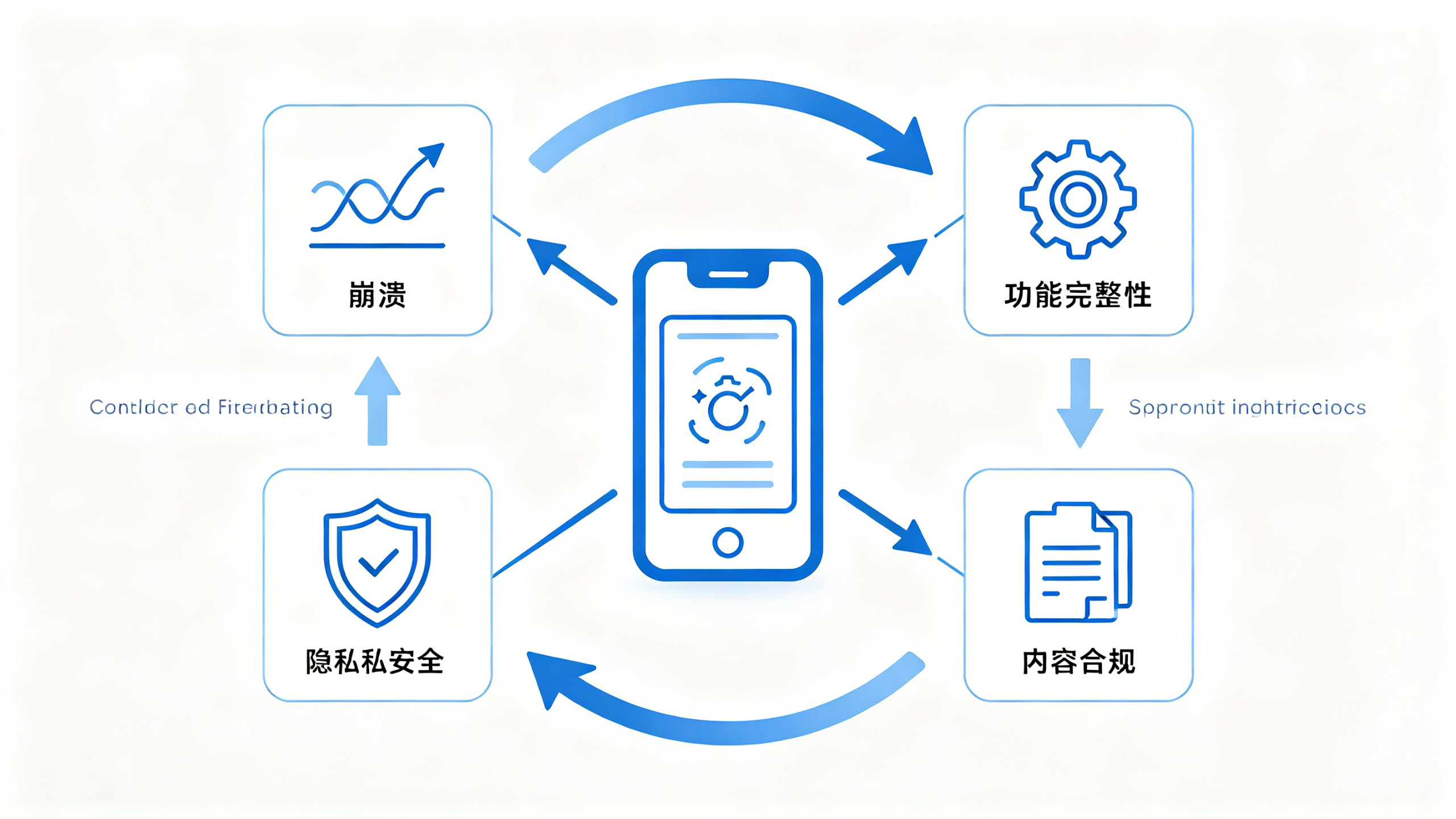
From the submission cases I have handled, review dimensions can roughly be divided into four parts: technical performance, functional completeness, content compliance, and privacy security. Technical performance is most easily perceived subjectively; startup crashes, white screens, and network request timeouts are all hard flaws. Functional completeness looks at whether your core flow can work through in the review environment, such as login, registration, and purchase. Content compliance mainly governs whether text descriptions, screenshot materials, and actual functions are consistent. Privacy security has become increasingly weighted in recent years and is almost a mandatory review item.
The priorities of these four parts are not parallel. Once there is a problem with the privacy policy or permission descriptions, even if your business is done very well, you will be blocked. This is because the review team cannot determine what you actually did with user data; their only basis is the text explanations you submitted and the permission usage in the code. When handling a certain image processing Demo, I only added one photo album read permission, but the purpose string said "used to obtain images." The reviewer directly gave feedback similar to "your permission description is too vague," requiring you to restate the specific purpose and supplement the privacy policy. In hindsight, clearly writing in the permission purpose description that it is "only used for editing and processing when you actively select an image," together with an accessible privacy policy page, resolved the problem quickly.
1.2 Privacy policy and permission purpose strings: self-check these two before submission
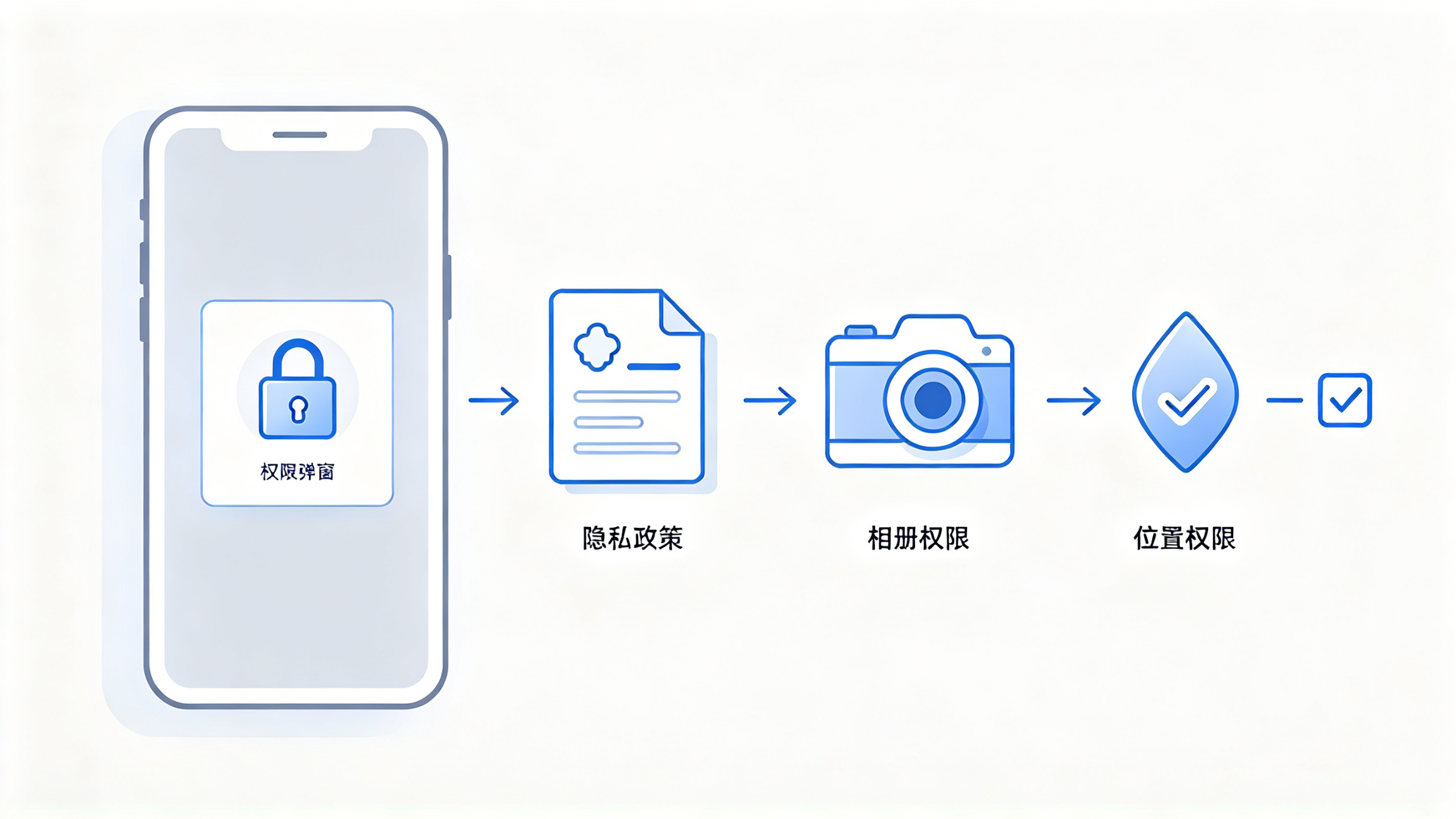
The review team will click into the link and confirm whether the page content includes major sections such as "how data is collected," "how data is stored," and "whether users can delete data." If the link cannot be opened or the page is blank, the consequence is usually direct rejection, with no room for explanation. I suggest making an independent privacy policy page in advance, pointing to the same URL as the in-app "Privacy Policy" entry, so it can both satisfy review and make it convenient for real users to consult.
The pitfalls in permission purpose strings are more hidden. Most people directly write "need to access photo album" or "need to obtain location," but this is too general. What the reviewer really wants to see is "under what scenario and because of what function this permission is needed." For example, for location permission, writing "used to calculate the distance to nearby stores and obtain location information when you authorize it" is easier to pass than simply writing "need location permission." The more specific the permission copy, the more you can avoid follow-up questions. Two years ago I encountered a project where, because the permission purpose copy was not written clearly, the reviewer not only gave rejection feedback but also additionally required a "data collection explanation document," causing three or four days of back-and-forth.
1.3 Review accounts and backend configuration: if not prepared in advance, the process is doubled in length
This is an overlooked disaster area. If your App requires login, then you must provide a fully functional test account in the review notes. This account should preferably be a low-privilege account that can still reach the core functions, and it must not require SMS verification codes or enterprise WeChat approval. I once saw a project that used a real mobile phone number to register an account for login, and the review team could not receive the verification code at all, so it was directly rejected on the grounds of "unable to verify core functions." You may feel wronged, but from the reviewer's perspective, if your App cannot be verified, then it is unqualified.
What is more troublesome is that some applications' backends are connected to the production environment. When reviewers click into a certain function, requests occasionally time out or loading fails, and the feedback will be written as "the app has performance issues affecting main functions." Honestly, this kind of situation is not necessarily poor code quality, but rather that your server environment or CDN domain configuration has not provided fallback for test traffic. The safer approach is to prepare an independent review environment with a few demo data records preloaded in the database, so reviewers can see the complete effect without any extra operations. If there really is no independent environment, then in the production environment at least ensure that core pages respond within 3-5 seconds, and empty state pages should also give users a prompt rather than directly throwing up a white screen.
1.4 Hidden bonus points in project information
When submitting a new version, in addition to basic fields such as version number and update log, there is another often overlooked thing: review notes. Do not leave this blank. Be sure to use a few plain sentences to clearly state "what this version does," "what the test account is," and "whether there are any flows the reviewer needs to pay special attention to." Good review notes can reduce the time reviewers spend figuring things out and indirectly improve the pass rate. In addition, screenshots and descriptions must remain consistent with actual functions. Do not use design mockup renderings; screenshots for every size must be produced according to the actual interface. The cost of changing screenshots after being rejected is often much higher than handling them carefully from the start.
2. Those moments of rejection: several real scenarios I encounter most often
The reasons for rejection are endlessly varied, but in fact they boil down to just a few categories. I have organized the typical scenarios I have stepped into over the years, and that peers have also stepped into. First look at a table, then expand each one afterward.
Common rejection situations | Industry-standard clause names | Typical manifestations |
Startup crash, white screen, page loading failure | 2.1 App Completeness, 2.1 Performance | Reviewer launches it two or three times and it crashes |
Core functions cannot be experienced in the review environment | 2.1 Performance, 1.2 User Experience | Login verification cannot be received, payment flow cannot go through |
Screenshots or descriptions inconsistent with actual functions | 2.3.1 Metadata | Screenshots look like design mockups, but the actual interface is not like that |
Virtual goods transactions bypass the system's built-in payment | 3.1.1 In-App Purchase | Use web links to redirect to payment for top-ups |
Permission usage descriptions are vague or the privacy policy is missing | 5.1.1 Privacy Policy, 5.1.2 Permission | No explanation after the pop-up request |
Features have hidden switches or the reviewed version is inconsistent | 2.3.1 Metadata, other related clauses | The features seen during review differ from what users see |
The interface contains many placeholders and half-finished areas | 2.1 App Completeness, 1.2 User Experience | Obvious remnants of unfinished content |
2.1 Launch crashes and white screens: the real-world disaster scene under actual network conditions
The problem of launch crashes often cannot be found in local testing. This is because the development machine has a good network environment and clean sandbox data, so the app opens smoothly all the way. But review devices are often in ordinary network environments, and may even be tested under fluctuating network conditions. If you fetch remote configuration during the launch phase and there is no fallback logic after the fetch times out, the reviewer will see a long white screen. My own handling habit is: the launch phase must have a "local cache first" mechanism. If the remote configuration cannot be fetched, use default values. Network failure must absolutely not be allowed to block the first screen.
In addition, the way reviewers judge the severity of a problem is also very simple: close the App, restart it, and try two or three times. If it crashes or freezes every time, it will most likely be rejected. This problem can be self-checked before submission. Use a weak-network tool to limit speed and see whether the launch chain can still produce the first screen under low bandwidth and high latency. Many versions that were rejected repeatedly did not have new problems at all; it was purely that weak-network fallback was not implemented.
2.2 Screenshots inconsistent with features: do not bully people with mockups
I have reminded people around me about this again and again many times. Screenshots are an important basis for the review team to evaluate the overall quality of your App, but after looking at the screenshots, they will definitely open your app and compare. If the screenshots show an interface refined to the point of glowing, while in the real App even the button spacing has not been adjusted well, the reviewer will consider this "misleading metadata" and reject it directly. What is even more troublesome is that some teams, in order to make screenshots look good, specially create a "mockup" with special shadows and a minimalist background, but the real interface layout is worlds apart from that image.
The correct approach is to use real-device screenshots, and before taking screenshots, set the interface to its most complete state. Each screenshot must correspond to a specific feature point, preferably the highlight moment of a core flow, such as the content list page, detail page, and payment completion page. Do not use vague wording like "coming soon" in the text on screenshots either; reviewers will feel you are drawing a pie in the sky.
2.3 Review switches and hidden capabilities: this is a high-voltage line, absolutely do not touch it
There are indeed some gray-area operations in the industry, such as using a beta-testing platform to distribute a review version, displaying a different interface in the code according to the review environment, or turning off a feature during review through a remote switch. The payoff is high, but the risk is also extremely high. The review team is very sensitive to such behavior. Once it is discovered that the version shown to the reviewer is inconsistent with the version online users receive, the account's trust level will be greatly reduced, and all subsequent versions will be treated more strictly. A developer I know had his app directly removed because of these gray-area operations, and after appealing for a long time, the account was still not restored.
So my principle is very simple: do not distinguish at the design or backend configuration level between the "version shown to review" and the "version used by users." If a feature is really not ready, then simply do not include it in this version, rather than hiding it during review. The review team's investigative capability is much stronger than you imagine. They can even decompile your code, and any small trick that creates an obvious distinction is easily exposed.
2.4 Virtual goods and subscriptions: do not take the path of bypassing built-in payment
Any digital content consumption generated within the app, such as unlocking membership or purchasing virtual items, must go through the official payment channel. This is the core content of clause 3.1.1. Over the years I have seen quite a few "clever" approaches: placing an H5 campaign page in the App, guiding users to purchase membership on the web side and then return to the app to unlock it. Once this kind of behavior is discovered, there is basically no room for maneuver, and the review decision is "direct rejection with a warning." Some businesses really cannot stand the official payment's revenue share ratio and try every possible way to bypass it, but the risk is simply too high.
If your App really sells virtual goods, you must configure the in-app purchase items properly before submission, test them successfully, and clearly state in the review notes that "the in-app purchase products for this version have been listed, and the test account can purchase normally." For auto-renewable subscription products, you should prepare screenshots of the subscription page and cancellation flow in advance, because the review side will specifically check whether users can see the unsubscribe instructions within the App.
2.5 Rough interface and too many placeholders: first impressions decide life or death
The "roughness" mentioned here is not an aesthetic issue, but a completeness issue. The review team's standard for judging interface quality is "whether it reaches a publishable level," which in the phrase foreigners often use is "minimum acceptable quality." Placeholders, unreplaced test text, empty container views, and obviously misaligned layouts will all lower the completeness evaluation. Even if your functional logic is very solid, once obvious unfinished traces appear in the interface, the reviewer will very likely directly judge it as incomplete. I myself do a "global neat-freak check" before submission, swiping through every page by hand, specifically looking for these detail issues. It is even more useful than running automated tests.
3. What to do after rejection: the timing rhythm of appeals and rectification
Rejection is not scary. What is scary is not knowing how to handle it, or having a mental breakdown and resubmitting randomly. After receiving a rejection notice, you need to immediately judge the nature of the problem, and then decide whether to modify and resubmit right away, or first communicate with the review team through the appeal channel.
3.1 First see which category the feedback belongs to: technical issues, content issues, or false positives
Rejection messages are usually written in a rather "official" way, but you can tell the type of problem from the keywords. If the feedback mentions "crash," "white screen," or "performance," then it is basically a technical-level problem and requires fixing and uploading a new build version; if the feedback mentions "metadata," "privacy policy," or "permission description," then it is most likely a configuration or copy-level problem, requiring no code changes, and can be handled by adjusting the description or attachments on the app information page; if the feedback mentions "content that misleads users" or "your app looks like a web wrapper," then larger rectification is needed in functional design and interface structure.
Among these, what more easily confuses development beginners is false positives. I have encountered this situation several times: the feature was clearly completely normal, but during testing the reviewer misjudged the normal feature as broken because of network latency or account configuration issues. Handling this kind of problem requires rhythm: first reply directly to the review team through the message center, explain the real situation in concise text, and attach a screen recording and reproduction path. This communication method is usually quite effective, because the review team faces a large number of cases every day. If you can provide clear supporting evidence, the probability of re-evaluation will be much higher.
3.2 Do not submit repeatedly immediately: wait for a version rhythm, rather than running along as an also-ran
After receiving a rejection, many people instinctively change a little bit and resubmit, thus entering the cycle of "submit-rejected-resubmit-rejected again." This cycle is very damaging to the account status, because when the review team handles versions that repeatedly submit the same issues, the processing speed will slow down, and the review attitude will also become stricter. My suggestion is: gather all the issues found in the same batch, finish modifying them all, test, and then submit them all at once.
This is like after failing an exam, do not just stare at the panic on the day you got a zero, but look at which knowledge points you actually did not master. If you were rejected only because the screenshots did not match, then just regenerate the screenshots; if the issue pointed out about you is "the overall experience is poor," then simply changing two pieces of copy is useless, and you need to walk through all the processes involving the experience again. Before resubmitting, be sure to go to the backend and write clearly in detail "the content of this update," so the reviewer knows what adjustments you have already made for the previous issues.
3.3 Expedited Review and Special Applications: Can Be Used, but Do Not Abuse Them
In some scenarios, there really is a channel for expedited review requests. If the app is already live, but the online version has serious problems, such as being unable to log in or abnormal data, you can submit an expedited application through the backend and attach an explanation of the issue. If handled properly, the review cycle can be shortened to a few hours. But note here that the expedited channel is not for you to "release new features early"; for new features, just queue up through the normal process. If the reason you submit for expedited review is insufficient, the review team may reject it, and it will leave a record, which is not good for the review of subsequent versions.
I once handled a case of emergency repair of abnormal online data. At that time, the approach was to state in the update notes of the latest version that it "fixes the occasional timeout issue in the login step," and to emphasize in the review notes that this was an "emergency online fix version." After the expedited application was approved, feedback of approval was received within a short time. No one says anything if this kind of operation is used once in a while, but frequent use will overdraft trust.
3.4 Do Not Argue with the Review Team: Use Facts and Reproduction Paths Instead of Emotions
Even the most experienced teams will inevitably encounter review feedback that they feel is "unfair." At this time, the worst thing to do is write emotional text in the reply. The review team is not an opponent debating with you; they are working according to the manual. The only thing we can do is provide a more objective reproduction path. For example, wording like "Please log in with the review account, click the X button on the homepage, and you will see the page pop up normally for the feature" is more useful than writing "This feature clearly has no problem, test it yourselves again."
I have also developed a habit: before every submission for review, prepare a "reviewer testing guide," including the test account, key paths, and the specific entry point used for each feature point. This sounds like a redundant action, but it greatly reduces the probability of the reviewer misjudging because they cannot find the entry point. In the review notes, only write facts that help locate the issue, do not write business vision, and even more do not write sales talk.
4. The Feel and Timing of the Review Rhythm: Some Patterns More Reliable Than Mysticism
Regarding the "mysticism" of App Store review, there are many claims online. Rather than obsessing over questions like exactly what time to submit or whether submitting on Saturday or Sunday will lead to rejection, I think it is better to understand the actual mechanism behind it and then arrange the rhythm according to the type of your own project.
4.1 The Time Interval from Submission to Feedback: Normal Range and Abnormal Waiting
Usually, the review feedback cycle for new apps and version updates is around 24 to 48 hours, but this number will be affected by submission volume, the review account's historical record, and the current time point. New accounts and accounts that have often been rejected historically will have longer review cycles; during peak periods (for example, the end of the year), the queue is also noticeably longer. If your version has been submitted for several days with no movement and the status remains "In Review," this is not necessarily a malfunction; it is more likely that you are queuing or there is an additional verification process. At this time, my suggestion is to wait a bit longer, do not repeatedly click to submit updates, because operating too frequently will instead disrupt the queue.
4.2 The Difference Between New Accounts and Old Accounts: Reserve More Time for Cold Start
The review process for new developer accounts is usually stricter, and some will also require additional identity verification. The account status may not be in a "ready for sale" state in the early period. When submitting an app for the first time, the review team will pay more attention to whether your developer account has abusive behavior, so the review cycle will be longer. If you have just registered an account, the first thing is not to submit the app immediately, but to first complete the account information, such as configuring the contact email, company website, and privacy policy link properly. The review pass rate will improve quite a bit. Although old accounts have accumulated some trust, do not always submit "reskinned apps" or obviously low-quality versions, as this will lower the overall trust status of the account.
4.3 New App Review and Version Update Review: Where the Focus Lies
New app review places more emphasis on overall evaluation, such as overall completeness, feature richness, interface design, privacy policy, and so on. Because the reviewer has no historical association, all information must be judged from the current version. Version updates focus on "whether the changes themselves introduce new problems." The reviewer will pay attention to what you changed this time, whether new permissions were added, and whether privacy settings were adjusted. If you simultaneously do a large amount of interface refactoring and data collection adjustments in one version, the review complexity will increase significantly. I have encountered several situations where a version with too large a scope of changes was required to provide supplementary explanations. In hindsight, if the changes had been split into two steps at that time, the review would have gone much more smoothly.
4.4 There Is Also an Observation Period After Passing Review: Do Not Rush to Set Off Firecrackers
Many people start celebrating when they see the status change to "Approved," and even immediately use the "automatic release" feature to push to all channels. But note that after an app passes review and goes live, it may still be removed due to user complaints, violations, or abnormal data. Especially in the first few days after just passing, it is also a period when various risk control checks are relatively intensive. My experience is: after passing review, maintain the awareness and discipline of "gray release." First release the new version to a small group of users, observe the crash rate and user feedback for a few hours, and then gradually release it to all users. If you use "manual release," you can stagger the peak period by adjusting the release time, leaving yourself more room to operate.
At this stage, there is one more thing that is easily overlooked: comment management after the update. After a new version goes live, early comments are often quite polarized. If negative comments are concentrated, you can first soothe users through replies or customer service channels, avoiding a large number of bad reviews gathering in the comment section within a short time and affecting the conversion rate of subsequent versions. Overall, passing review and going live is only the starting point, and there are also quite a few things to note on the operations side.
5. The Final Self-Check List Before Submission for Review
In order not to experience again that sense of frustration of "only remembering that some configuration was missed after being rejected," I go through the following checklist before every submission for review. I am sharing it so you can directly copy the homework.
- Is the privacy policy link accessible, and does its content include explanations of data collection, use, storage, and deletion; - Are the permission purpose strings specific, and do they correspond item by item to actual features; - Does the review account exist, can it log in, and can it complete the core flow; - Does the core flow still have fallbacks under weak network conditions, and does the startup phase depend on remote configuration; - Are all screenshots taken from real devices, and are they consistent with the actual interface of the current version; - Is the version number incremented correctly, and does the update log describe this change; - Are the test account, key paths, and precautions clearly written in the review notes; - Are in-app purchases configured and tested, and do subscription products have an unsubscribe explanation page; - Are global placeholders, test text, and unfinished areas cleaned up completely; - Is there review-region logic, hidden switches, or other designs that easily trigger a trust crisis.
Every time I finish this set of checks, I can basically press the submit button with considerable peace of mind. The review team is not a flood of fierce beasts; they are just using a standard process to judge whether your App is worth recommending to real users. By getting these details right in advance, your chances of passing will naturally be much higher.
Finally, one more practical reflection: many developers treat app store review as a "checkpoint" and always think about how to get around it. My experience is exactly the opposite. Treating review feedback as a free product health check and solving the problems in the feedback with guaranteed quality and quantity will instead make your subsequent updates smoother and smoother. I hope this seemingly trivial collection of experience can help you take a few fewer detours on the road to App Store review.