Game Apps Rejected by Apple Under Guideline 4.3: A Five-Step Troubleshooting and Remediation Workflow
After a game app is rejected by Apple under Guideline 4.3, follow five steps: determine the rejection type, differentiate metadata, add an explanation of independent value, check compliance, and decide whether to appeal or rebuild, with a checklist included.
Another 4.3 rejection email arrived in the backend, with the subject line reading "Spam" and the content saying "Your app is too similar to existing apps." Friends who make games find this one the hardest to deal with: the code is written by yourself, the gameplay is original, so why is it judged a spam app? You revise the build repeatedly and submit repeatedly, yet the rejection letters come back faster each time.
First, understand one thing clearly: 4.3 is not a review targeting a specific piece of code, but rather a reviewer judging, based on metadata, screenshots, binary characteristics, and account history, that this app has "no independent value" in the store. So the remediation approach cannot be just changing one version and resubmitting; you need to provide evidence that convinces the other party. Below, it is broken down into five steps, with a directly checkable checklist at the end.
Step One: First determine which type of 4.3 it is
There are several common situations, and the handling methods are completely different:
Template shell: You bought a set of game source code and put it on the store after changing the icon and name. The same template has been submitted by a large number of accounts, so it is easily matched by the feature library.
Clone app: The main app already has an official version, and a "variant" with highly overlapping functionality is submitted for volume distribution or testing.
Thin functionality: The gameplay has only one level or one simple mini-game, and the reviewer believes it does not have sustained use value.
Account association: The account has too many rejection records, or is associated with other flagged accounts.
It is recommended to line up the most recent rejection emails by time and see whether it is a first rejection or long-term accumulation. This judgment will affect whether to switch accounts for an appeal later, and also determines the intensity of investment in remediation.
Step Two: Start with metadata to create differentiation
Before the reviewer opens the build, the first thing they see is the store page. Duplicate metadata is the easiest point to catch:
Do not reuse the template's default words for the app name and subtitle, and do not stuff keywords.
Screenshots must come from the real interface of the current version; do not reuse the composition and copy of similar products.
In the description, clearly write the unique mechanics of the core gameplay, rather than vaguely writing "casual puzzle".
Put truly distinctive words in the keywords to reduce overlap with popular products.
The purpose of this step is first to pass review, and second to let real users understand the difference at a glance; the two do not conflict.
Step Three: Add an explanation of "independent value"
Many teams only submit a binary and write no explanation. For apps rejected under 4.3, it is recommended to proactively explain in the rejection response:
What problem does this game solve, and who are the target users.
What are the core differences from similar products in the store, preferably down to specific mechanics or gameplay.
The team's subsequent update plans, proving it will continue to operate.
Keep the response concise, state it in bullet points, and do not emotionally confront the review conclusion. The explanation is for the reviewer to make a judgment, not for debate.
Step Four: Check intellectual property and compliance
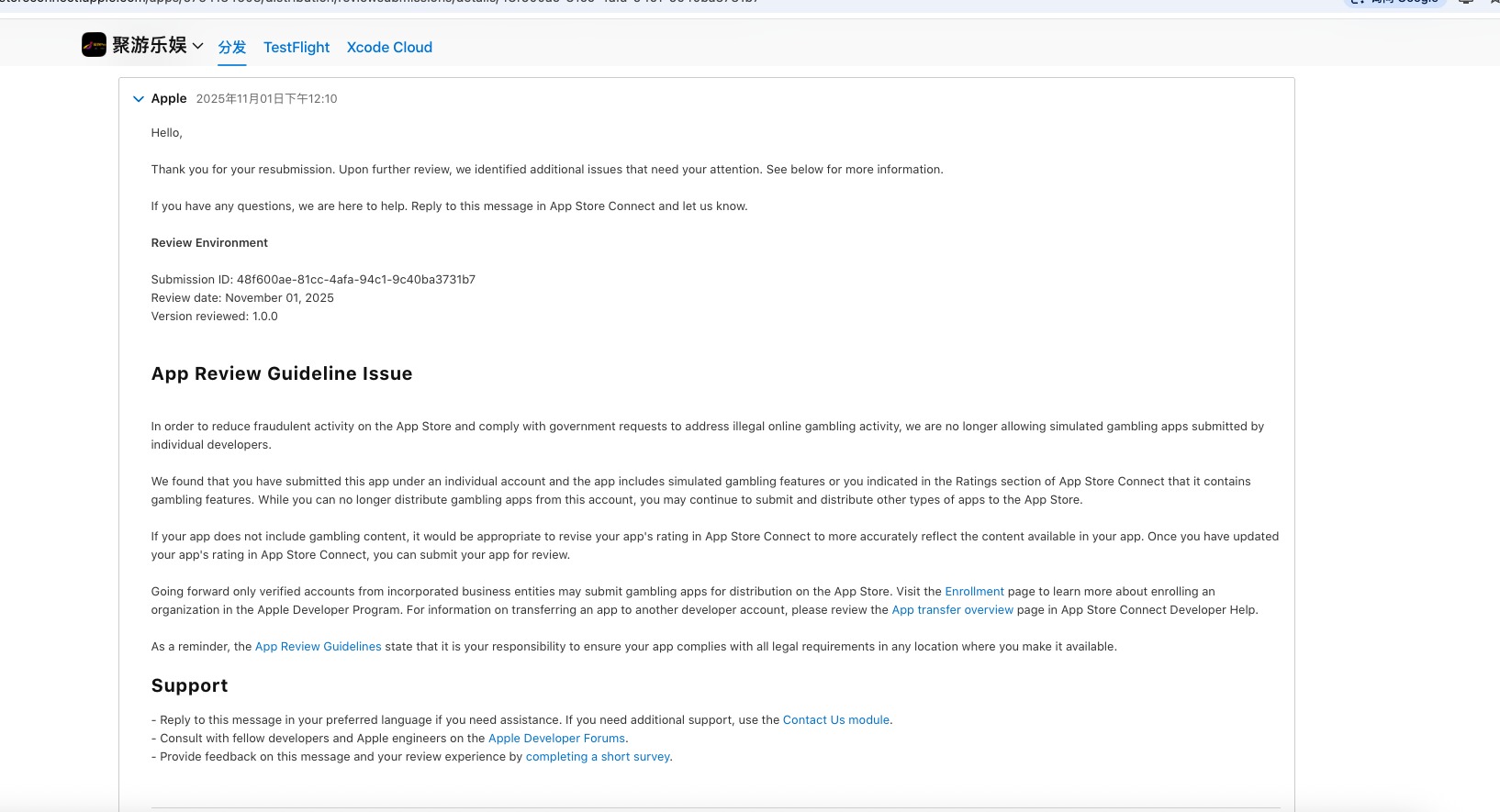
4.3 often appears together with 5.2 intellectual property issues. Confirm that the art, sound effects, fonts, and code libraries used all have authorized sources, and that you can produce purchase receipts or authorization documents. The rejection email also mentions that developers need to ensure on their own that the app is legal and compliant in the regions where it is released [K1]. If the app involves random rewards or virtual items, also check the requirements for probability disclosure in each region.
Step Five: Appeal or redo
If it is a misjudgment and there is sufficient evidence of differences, you can submit an appeal in the review response in App Store Connect. If it is a template shell and the functionality is indeed thin, the success rate of repeated appeals is very low; the more realistic approach is to add enough original content and then resubmit, or adjust the product positioning. There is no absolute advantage or disadvantage between the two paths; the key is how much evidence of differences you have on hand to present.
Checklist
Confirmed whether it is a template shell, a clone package, or thin functionality.
The name, subtitle, screenshots, description, and keywords have all been differentiated.
Screenshots are taken from the real interface of the current version, not pieced together or reused.
An explanation of the differences in core gameplay has been prepared and written into the rejection response.
Authorization documents for art, sound effects, fonts, and code libraries are complete.
For mechanisms involving random rewards, local disclosure requirements have been checked.
A decision has been made whether to appeal or to resubmit after supplementing the content.
The essence of 4.3 is that "the store does not need two identical apps." Making the differences sufficient and writing the evidence clearly is more effective than repeatedly modifying the package.