
How to Implement AI-Developed Apps? A Practical Workflow from Requirement Breakdown to Testing and Release
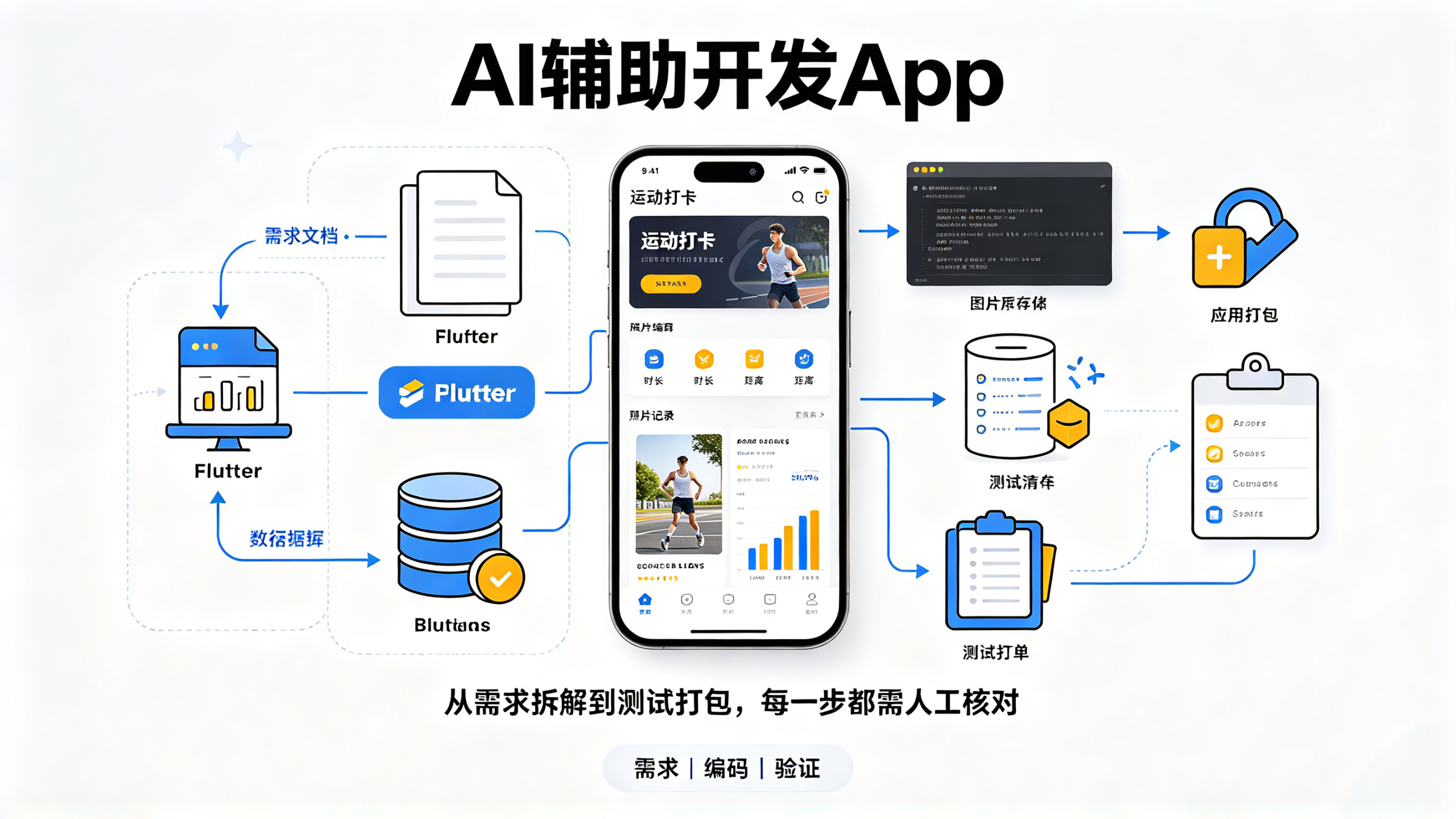
AI development of an app does not mean having a model generate a complete product in one go; rather, it means using AI for requirement organization, Flutter cross-platform technology selection, step-by-step coding, data and API integration, testing, and packaging preparation. Using a fitness check-in app as an example, this article explains how to provide the tech stack and business context, check generated results, and pay attention to database permissions, version compatibility, and privacy materials.
Over the past two years, I have handled no fewer than twenty app projects of various sizes, from ordering mini-programs for restaurants, to Bluetooth configuration tools developed for hardware teams, and check-in applications used by training institutions. After 2024, I formally incorporated AI programming tools into my daily development workflow. To be honest, I was skeptical at first, thinking that as long as the code written by AI could run, that would be good enough. But in actual use, especially in scenarios where time is tight and a demo needs to be built quickly, the difference before and after AI involvement is basically the difference between "staying up late for three weeks" and "leaving work on time."
In this article, I want to explain "how to develop an app with AI" clearly from beginning to end. Note that this is not about how to click the buttons of a particular AI tool, but about the entire chain from requirement organization, technology selection, coding, integration, testing, and finally release, explaining what AI can do and cannot do at each step, and how you should instruct it. The content is suitable for independent developers who are still observing AI programming, and also for small teams that want to reduce costs and speed up delivery. You can implement it by following along; no fluff.
1. Using AI to Build an App: First Understand the Essence of This
1.1 The Real Role of AI in the Entire Development Workflow
AI programming has been packaged by many articles as something mysterious and profound. In fact, you only need to understand one fact clearly:
AI does not develop an app for you; it helps you complete a large amount of "deterministic repetitive work" in app development
. There are multiple types of AI tools on the market, each with different roles.
Code completion tools, such as GitHub Copilot and Cursor's autocomplete, are mainly used to provide suggestions and completions while you write code. They can significantly increase typing speed, but they do not have a global view. Conversational programming tools, such as the well-known ChatGPT and Claude, can provide complete code or answers when you supply a requirement or error message, and are suitable for solving code-snippet-level problems. In addition, there are tools optimized for domestic scenarios, such as Wenxin Kuaima and Tongyi Lingma. Their understanding of Chinese requirements and support for domestic frameworks are more detailed, especially when providing development specification suggestions, which better fit the compliance requirements of some teams.
What truly takes productivity to the next level is the
AI Agent
form that has become widespread in the past two years. Agent-based tools (such as Codex, Cline, the open-source Devine, and the agents built into various IDEs) can directly read local repositories, search across files, modify code on their own, execute commands, run tests, and then continue iterating based on the results. You can think of it as an extremely smart but junior intern: it has broad knowledge, strong search capabilities, and writes code quickly, but knows nothing about your business context, so you need to explain the context clearly. As long as you brief it properly, it can do the work very well.
Therefore, the first principle of developing apps with AI is:
AI is an accelerator, not a replacement.
It is responsible for accelerating things that "you know how to do," while you are responsible for deciding "what to do and why to do it." The latter is the core value of a qualified developer.
1.2 Case Study Throughout the Article: Fitness Check-in App
To keep the content from staying at the theoretical level, I will use a very representative small project as an example:
Fitness Check-in App
. Its features do not need to be many: after users register and log in, they can initiate a fitness check-in, fill in the exercise type, duration, and distance, and also take a photo for the record; the home page displays check-in records with simple statistical charts. What makes this requirement typical is that it is small but complete: it has front-end UI, data storage, a user system, image upload, and list and chart display, covering almost every link encountered in developing an app.
The target platforms are directly set to both Android and iOS. This is not a random decision, but the basic landscape of mobile today: whether from the perspective of user coverage or commercialization, making only one platform would mean losing half of the potential users at the initial stage. Therefore, a cross-platform solution is basically an inevitable choice. All code and configuration later in this article will revolve around this case, so you can draw inferences for your own projects.
1.3 The First AI Battle: Requirement Breakdown
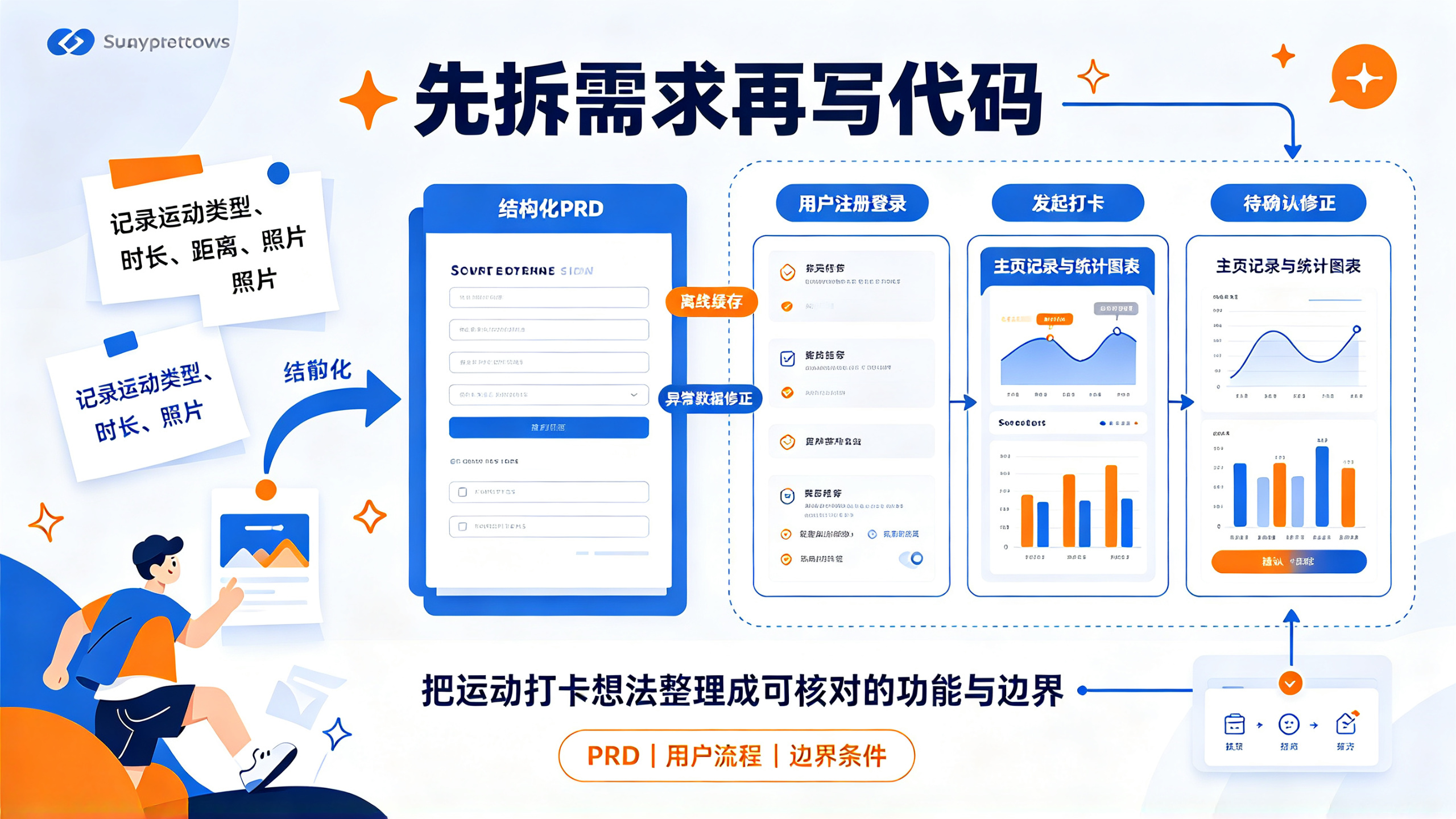
Many people's mistake is to have AI write code right from the start. In fact, involving AI in the requirement stage can help you avoid many detours. I am used to first converting the vague ideas in my head into a structured PRD (Product Requirements Document).
Here is a prompt template of mine for you:
你是一名资深产品经理和独立开发顾问。请基于以下描述,为我的App输出一份精简的PRD:
- 产品名称:运动打卡App(暂定)
- 目标用户:有日常运动习惯、希望记录和激励自己的年轻人
- 核心功能:注册登录、运动打卡(类型/时长/距离/照片)、打卡记录列表、运动统计
- 商业模式:免费使用,后续考虑会员订阅
- 优先级要求:先保证MVP最小可用,暂不做社交和分享
请输出:用户故事、功能模块清单、MVP范围的优先级排序、非功能需求(性能/安全/隐私)
AI will provide you with a clearly structured requirements document. The significance of this step lies in:
Letting AI help you externalize and organize the scattered ideas in your mind
. From my own testing, the user stories listed by AI are far more comprehensive than what you can come up with out of thin air. For example, it will remind you to handle details such as caching check-in records in offline mode and manual correction of abnormal exercise data. But you should note that the features listed by AI will be extremely abundant; if you build all of them, your MVP will be indefinitely delayed. Therefore, you need to manually trim the scope, retaining only the most core paths: registration and login, check-in, list view, and statistics, and cut or postpone everything else.
For this stage, my practical advice is: divide the AI-generated feature list into three tiers: “must-have”, “nice-to-have”, and “do not do for now”, then make a second round of cuts based on return on investment. The biggest fear for independent developers is feature creep; removing features is almost always more correct than adding features.
2. Technology selection: Leave the multiple-choice questions to AI, but you are the one who makes the final call
2.1 Cross-platform framework comparison: Why I chose Flutter
Technology selection is very well suited to having AI organize a round of information first. You only need to list the constraints, let it compare options and output results, which is much more efficient than flipping through documentation yourself. The table below is the conclusion I revised based on my own practical experience after asking AI to do a selection analysis.
Comparison dimension | Flutter | uni-app | React Native |
Development language | Dart | Vue/JS syntax | JavaScript/TypeScript |
UI consistency | Self-drawn engine, strong consistency across both platforms | Relies on compilation conversion, close to native | Relies on native components, differences exist |
Performance | High, smoothness close to native | Medium-high, loss occurs with complex animations | Medium-high, bottlenecks appear when interactions are complex |
Native capability extension | Rich plugins, suitable for customization | Plugin ecosystem leans toward domestic platforms | Mature community, the most complete ecosystem |
Friendliness to AI programming | Dart syntax is relatively unified, context is clear, and AI generation quality is high | Multi-platform compilation styles are mixed, and AI generation easily mixes contexts across platforms | There are too many state management library choices, and AI-generated code styles are scattered |
Learning curve | Medium, requires familiarity with Dart | Relatively low, knowing front-end development is enough | Medium, high reuse rate of front-end knowledge |
This round of AI-generated comparison table saved us a lot of time spent looking up materials. But the final decision still needs to be combined with your own actual situation. I chose Flutter for two reasons: first, its self-drawn UI feature ensures a highly consistent experience across both platforms, which is very friendly to independent developers, as there is no need to separately adjust Android and iOS control details; second, from the perspective of AI programming, Flutter’s Dart language has relatively restrained syntax and unified code paradigms. When using the same prompts, the probability of errors in Flutter code generated by AI is significantly lower.
2.2 Backend and database: Don’t start by building your own server
Many beginners who are just starting to build apps habitually rent a cloud server, install MySQL, and then deploy a set of backend interfaces. This approach is not wrong in itself, but the cost is relatively high and the operations pressure is also heavy. As a solution focused on efficiency and cost, I recommend prioritizing Backend as a Service (BaaS) platforms, including Supabase, Firebase, WeChat Cloud Development, and cloud database solutions provided by other domestic cloud service providers. The advantage of such platforms is that they are ready to use out of the box; functions such as user systems, databases, object storage, and cloud functions are all managed by the platform, and the free quota is fully sufficient to support initial use for personal projects.
Moreover, these platforms are extremely friendly to AI programming. For example, Supabase uses PostgreSQL at the bottom layer, and there are enough relevant templates in AI training corpora. If you tell it “Design a users table and a workouts table for exercise check-ins, and generate RLS policies”, the DDL and row-level security policies it gives can basically be used directly, requiring only minor adjustments based on business needs. The same goes for cloud functions; asking AI to generate a section of cloud function code for “querying the user’s check-in statistics for the past 30 days” usually produces relatively concise and reliable results.
In my experience, using a BaaS solution together with AI development allows an independent developer to completely handle work that previously required a backend engineer to be responsible for. Of course, if your app involves extremely sensitive data (such as financial products), or you have a very clear expectation of high concurrency, it is not too late to consider building your own server. But for the vast majority of projects in the MVP stage, BaaS is the choice with the highest return on investment.
2.3 Cost estimation: Approximately how much does it cost to develop an app and launch it
This topic is constantly discussed in the community, and it is perfect to use AI to help calculate the bill. Taking an exercise check-in app as an example, we divide development approaches into three scenarios for comparison.
Cost item | Pure outsourcing | Template shell wrapping | AI-assisted independent development |
Labor cost | 5 ten thousand to 20 ten thousand yuan, depending on feature complexity | Template fee is 3000 to 2 ten thousand yuan, with basically no secondary development capability | Invest your own time: you can build an MVP using one to two weeks of spare time |
Tool cost | Basically 0 (outsourcing covers everything) | Template authorization fee | Free or low-tier versions of AI programming tools, or monthly subscriptions to domestic tools |
Apple Developer Account | The fee is included in the outsourcing quote, or borne by yourself | 99 USD/year | 99 USD/year |
Google Developer Account | Same as above | One-time 25 USD | One-time 25 USD |
Server/Cloud Services | The outsourcing quote covers six months to one year | Depends on the template | Start from the free tier of a BaaS; as usage grows, tens to hundreds of yuan per month |
Software Copyright | Included in the quote or registered under the company's name | Agency fee 500–1500 yuan | You can apply yourself or entrust an agency; most app stores require it |
The conclusion is quite intuitive: if you choose AI-assisted independent development, the hard costs are mainly the developer account and cloud service fees,
a few thousand yuan or less can basically cover all the costs of the first launch
, and the biggest investment is your own time. This is one of the aspects where the cost structure of mobile development has changed the most over the past few years. Independent developers actually don't need to be intimidated by outsourcing quotes; once AI fills in the gaps in engineering capability, what remains is a matter of product strength and operations.
3. Hands-on Coding: The Right Way to Have AI Write Code
3.1 Prompt Template for Giving Requirements to AI
Many people say the code AI generates is unprofessional. I looked at their conversation records with AI, and they were basically all "help me write a login page." This kind of instruction carries too little information; AI lacks context and can only output the most ordinary, most templated result. The right approach is to give AI complete constraints and context. The code generation prompt template I commonly use looks like this:
你是一名有10年经验的Flutter开发工程师。请为运动打卡App编写一个登录页。
技术栈:Flutter 3.x,使用Provider做状态管理,HTTP库使用dio。
页面要求:
- 输入手机号和密码,密码使用 obscured 输入框
- 登录按钮在输入为空时置灰
- 点击登录后显示全屏Loading,调用 /auth/login 接口
- 成功后将 token 存入 shared_preferences,并跳转到主页面
- 失败时用 SnackBar 展示后端返回的 message
- 验证码登录入口放在页面底部
UI风格:页面清爽,主色为蓝色系,适配 iPhone 14 和主流 Android 屏幕
请给出完整代码,并对关键代码添加中文注释。
The key to this prompt is that you specify the
tech stack, page structure, interaction logic, state handling, and UI style
With this kind of input, the usability of AI-generated code improves greatly. Before each conversation, spend two minutes writing out this template; the effect is far better than going back and forth with AI for ten rounds.
3.2 Hands-on: Getting the Login Page Working with AI
Taking the login feature as an example, the actual operation flow is generally as follows. Step one, send the above prompt to AI and get a Dart file. Step two, put the file into lib/pages/login_page.dart in the Flutter project and first statically check the structure. Step three, run the program to see the result. In cases without complex dependencies, the AI-generated code will most likely compile successfully on the first try. If there is an error, send the error message directly to AI and have it fix it.
A very key piece of experience is:
Do not try to have AI generate the entire App in one go.
I have seen people ask AI to "write a complete fitness check-in App," and the result was that AI generated a huge pile of code with a chaotic directory structure and complicated dependencies, which ultimately could not be maintained at all. The right way is to converse module by module: a separate session for the login page, a separate session for the check-in page, and a separate session for the statistics charts. Have AI "deliver by feature" for each module, and then you assemble the parts locally. AI performs best within clear functional boundaries, so methodologically you should follow its capability boundaries.
3.3 Multi-AI Collaboration: Let Different Models Criticize Each Other
When developing an App with AI, you can easily fall into a state of "I trust all the code AI writes." Here I strongly recommend introducing a
multi-AI collaboration
mechanism. There are many AI models and tools on the market, and their strengths differ: some are good at architecture design, some produce more consistently high-quality code, and some excel at code review. You can absolutely combine them into a pipeline: Model A handles overall architecture and requirements analysis, Model B handles code generation for specific features, and Model C handles Code Review, specifically finding problems in the code generated by Model B.
In practice, one of my commonly used approaches is: after Model B finishes coding a module, paste the code to Model C with the instruction "please review this Flutter code from the perspectives of security and edge cases." Model C often catches many overlooked problems, such as no fallback for network exceptions, potential memory leak risks, sensitive information hardcoded and stored locally, and so on. The effect of cross-validation among multiple models is indeed much stronger than a single model working alone, because different models have different training data and preferences, and their blind spots happen to complement each other.
3.4 Debugging Errors: The Right Way to Feed Logs to AI
Debugging is the most time-consuming part of development, and it's also where AI can save you the most time. But many people provide error information to AI the wrong way, pasting dozens of lines of stack trace all at once, which easily causes AI's analysis to drift away from the key points. The correct approach is to
first extract the key information, then let AI assist in locating the issue.
Take a very common error as an example (when using AI-assisted troubleshooting, you'll also often encounter similar dependency resolution problems):
Could not determine the dependencies of task ':app:compileDebugJavaWithJavac'.
> Could not resolve all task dependencies for configuration ':app:debugCompileClasspath'.
The handling steps are: first look at the first line of the error and the last Cause to confirm which stage went wrong; then extract the core error section and send it to AI, along with key contextual information, such as "the Android Gradle Plugin version is 7.4.2, the Gradle version is 7.5, and a certain SDK dependency was recently added." Let AI analyze the possible causes and rank them by probability. AI will give some directions, such as dependency version conflicts, repository sources not found, cache issues, etc. These directions are often much faster than searching blindly on your own. In actual projects, I've solved several headache-inducing build problems this way, and from troubleshooting to resolution, it basically took less than half an hour each time.
4. From Standalone to Integration: Data, APIs, and AI-Generated Backend
4.1 Using AI to Design Database Table Structures
The data model of a workout check-in app isn't complex, but whether it's designed well directly affects the subsequent development experience. AI can serve as your database design consultant here. The prompt I commonly use is:
为运动打卡App设计Supabase(PostgreSQL)数据库表结构。
需要支持的场景:
- 用户可以注册、登录、维护个人资料
- 用户每天可以多次打卡,每次记录运动类型、时长(分钟)、距离(公里)、运动照片URL、打卡时间
- 需要查询某用户最近30天的运动总时长和总次数
请设计表、字段类型、索引、外键关系,并给出建表SQL。附上RLS(行级安全策略)建议。
The table structures AI provides usually include a users table, a workouts table, and reasonable index designs. However, in actual use, I also remind you that you must check two things in AI-generated tables in the end: first, the default values of required fields, such as whether the photo URL is a nullable field, and whether check-in data is allowed to be temporarily empty during synchronization; second, whether the RLS policies cover all read and write scenarios. AI's understanding of the business is limited to what you've told it, so data boundaries and exceptional cases must be vetted by you.
4.2 Letting AI Generate API Documentation and Mock Data
Frontend-backend integration is another disaster area, especially when the backend APIs aren't ready yet, frontend development can easily get stuck. AI can help you quickly generate a set of API documentation and matching Mock data, so frontend development no longer has to wait idly. The prompt for letting AI generate API documentation is as follows:
为运动打卡App定义REST API接口文档,要求如下:
- 接口列表:注册、登录、创建打卡、获取打卡列表、获取用户统计(按天聚合)
- 使用 JSON 格式:字段统一为大写驼峰命名
- 统一响应体格式为 { code, message, data }
- 需要包含鉴权Header:Authorization: Bearer Token
请输出接口路径、请求方法、请求参数、成功响应示例、失败响应示例
Hand the output to an AI Mock tool or a backend cloud platform, and you can directly generate a callable Mock service. The frontend develops according to the documentation, and replaces it once the real backend is ready. This action saves a lot of communication costs and integration rework time.
4.3 The Three Most Common Pitfalls During Integration
I've stepped into quite a few pitfalls during the integration phase. Here I'll directly list the three most common ones, so you can avoid them in advance.
The first pitfall is
inconsistent field naming conventions
. When AI generates API documentation, it uses PascalCase by default, while databases like Supabase return lowercase letters with underscores by default. If the frontend doesn't do mapping, it will find that the retrieved data is all null values or undefined. The solution is to agree on a unified naming convention from the start when designing the API documentation and database, and explicitly state in the AI prompt: "Please ensure that all API fields are consistent with the database fields, mapped directly through database views, without additional field name conversion."
The second pitfall is
time and time zone issues
. Is the user's check-in date calculated according to the user's local time zone or the server's time zone? If this isn't agreed upon clearly in advance, it's quite normal for statistical charts to show data that is "one day short" or "off by two days." The correct approach is to have all APIs uniformly pass timestamps, or use ISO 8601 strings with time zone offsets; then convert to the local time zone when displaying on the frontend. AI doesn't tend to proactively handle time zone logic when generating code, so you need to explicitly require it in the requirements and add explanations of edge cases.
The third pitfall is
the order of image upload and authentication
. Workout check-ins require uploading photos, and many apps directly use the Token to call the cloud storage API, which easily leads to 401 authentication failures. A more reliable approach is to follow the "obtain upload credential" flow: the client carries the Token to request a short-term valid upload credential from the server, then uses the credential to complete the upload through the object storage upload path. Designing this step during the API documentation phase can save a lot of time in subsequent integration.
5. Testing, Packaging, and Publishing: AI Covers the Last 20%
5.1 AI Generating Unit Tests and Test Cases
In the pre-launch testing phase, AI's auxiliary value is quite prominent. Writing unit tests is both time-consuming and highly patterned, so it is well suited to being completed with AI assistance. Taking the login feature as an example, the prompt for AI to generate unit tests is as follows:
为以下Flutter登录页面写单元测试和Widget测试:
- 核心逻辑:输入框为空时登录按钮置灰;输入非空时点击触发登录;登录接口调用中显示Loading;接口成功保存token并跳转;接口失败展示SnackBar
- 要求使用 mockito 模拟 LoginApi 类
- 请包含成功、失败、输入为空三个场景的测试用例
请输出完整可运行的测试代码。
Although the test code generated by AI is not comprehensive enough, it can first build coverage of the normal paths. When supplementing manually, the focus should be on exception paths and boundary conditions, such as weak-network timeouts, abnormal API return formats, and duplicate submissions. The habit I have developed in actual projects is: first let AI generate a test skeleton for each core module, then supplement boundary cases. In half a day, the module at hand can reach a decent baseline coverage rate.
In addition, for product acceptance testing, you can also have AI help you organize a checklist of test cases, listing normal flows, exception flows, and adaptation items for different device models. You can then manually execute and check off each item on the list one by one, which is much more efficient than staring blankly at the page and looking for inspiration on the spot.
5.2 Common details in Android packaging and iOS configuration
Packaging configuration is the most tedious part of the entire process. AI can help, but you must be clear about where the key points are. If you use Flutter to develop a cross-platform app, the Android side needs to handle signing, permission declarations, and version number management; the iOS side needs to handle the Bundle Identifier, permission usage descriptions, and privacy manifests. When you ask, AI can accurately tell you how to write a specific configuration item, but you need to prepare these configuration items in advance.
Taking Android as an example, if a fitness check-in app needs to take photos and upload them, it must declare the camera permission in AndroidManifest. This is an easy place to stumble: on systems above Android 12, in addition to runtime permission declarations, the relevant permissions also need to be declared in the manifest, but different SDK versions have different requirements for permission wording. Once a declaration is missing, or the permission request in the code is inconsistent with the manifest declaration, crash issues may occur after launch. I always recommend handing this kind of declaration work to AI and describing the requirements clearly. AI can provide accurate configuration, but you still need to check item by item, because missing any one item may cost you more during the review stage or in users' actual usage environments.
Privacy descriptions on the iOS side are also prone to problems, especially when album access is involved. If the app needs to read the photo album or save images, the corresponding usage description text must be configured in Info.plist. If you plan to track the user's location within the app to record exercise routes, you also need to configure the location permission description. The configuration text should be understandable to both reviewers and users. AI can help you draft it, but the final text still needs manual polishing so that it fits the product positioning.
5.3 Checklist of materials for launch review and privacy compliance
Launch is not over once the code is complete. Whether for domestic app markets or overseas app stores, the required materials are largely the same, with the core ones including:
Software copyright certificate (required by most domestic channels), privacy policy, user agreement, app screenshots and preview images, and app icons in various sizes.
For documents such as the privacy policy, drafting with AI is highly efficient. Provide AI with key information such as what data your app collects, for what purposes, how it is stored, whether it is shared with third parties, and how users cancel their accounts, and it can quickly generate a privacy policy with a complete structure that complies with common standards. Here is an operational reminder for you:
Do not copy the AI-generated privacy policy verbatim.
You should check item by item whether the content is consistent with the app's actual behavior, for example, "whether a third-party analytics SDK is used" and "whether device identifiers are collected." If AI writes in privacy capabilities that you have not implemented at all, the review may not catch it, but if it is spot-checked, it will involve integrity issues; conversely, if you omit capabilities you are actually using, the review may directly reject it.
For the user agreement, you can also use AI to generate a framework, and then manually supplement details such as the refund policy, disclaimers, and contact information. The account cancellation feature has become a hard requirement in most app stores. If your app supports registration and login, you must provide a cancellation entry point and ensure the process works smoothly.
6. Record: Common pitfalls and troubleshooting methods when developing apps with AI
6.1 Frontline troubleshooting record of Gradle configuration errors
Build problems are unavoidable during development, and almost every Android developer has seen similar errors. First, the conclusion: ninety percent of such problems come from
dependency version conflicts or incomplete dependency repository sources.
When encountering such problems, I recommend troubleshooting in the following five steps. Step one, confirm whether the Java JDK version and the Android Gradle Plugin version match; a mismatch between the two will cause many hard-to-explain compilation exceptions. Step two, check whether the major versions of all dependency libraries conflict, especially when using AI to choose dependency versions. AI may copy all the libraries from a large project, causing some transitive dependency version conflicts. Step three, run a Gradle clean and reload the project. Step four, check whether the Maven repository sources are complete; if a specific repository source is missing, dependency resolution will fail. Step five, if the above steps cannot solve the problem, look for clues in the version names; it is usually caused by mixing release and snapshot versions of a certain library.
When using AI to troubleshoot this error, you only need to provide the error message and the relevant snippets in the configuration file, and it will give priority suggestions following a similar approach as above. Compared with searching item by item yourself, AI can shorten half an hour of troubleshooting to five minutes.
6.2 Version adaptation issues in AI-generated code
The timeliness of AI training data is naturally lagging, and you will find that it often generates code for old versions of APIs. For example, after the Flutter framework was upgraded to 3.10, the old initialization process changed, and AI-generated code may still use deprecated APIs, which will directly cause compilation errors or deprecated warnings.
There are three coping strategies. First, explicitly state the framework version used in the prompt, for example, "Flutter 3.13, Dart 3.1," so that AI tries to generate code adapted to that version. Second, after encountering a compilation error, provide the error message and version number to AI together, and have it rewrite the relevant code using the current version's API. Finally, if you frequently use a certain framework, it is recommended to choose an AI tool that is continuously updated, or set custom context rules to provide the project's language version, dependency list, and project structure as fixed context materials to AI each time code is generated, greatly reducing the probability of version mismatches.
6.3 Business deviations caused by AI-designed databases
When AI designs a database, the most typical mistake is
generating only a structure that satisfies the literal requirements
, while lacking anticipation of the business scenarios. For example, when designing a check-in table, if you only say "record exercise type, duration, distance," AI may design it so that each check-in records one row of data, completely failing to consider finer business extensions such as "users may need to record multiple split paces within a single run." This is not a lack of AI capability, but rather its lack of domain understanding of actual exercise scenarios.
My suggestion is to give it more business details at the database design step. You can add: "Exercise types include running, cycling, swimming, etc.; running needs to record pace data, cycling needs to record elevation gain, and users will occasionally backfill check-in data from the previous day." This way, AI can design the fields to be closer to actual needs. Data modeling is different from code generation: code errors can be caught immediately by compilation, but if the table structure design is wrong, it often only gets discovered after data is entered, and the rework cost is much higher. Therefore, this step is worth spending more time on, going back and forth with AI for a few rounds.
One article can't cover it all, but this is my complete workflow right now
Having talked this far, I've basically laid out my complete process for developing an App with AI. Looking back, from initially treating AI as an advanced search engine to now integrating it into every step of requirements, coding, testing, and publishing, my biggest takeaway is:
What AI truly changes is not the way you write code, but the structure of how you allocate your time as a developer.
An MVP that used to take me over a month to finish alone can now, with AI, have a demoable version built in two weekends. The time saved can be used to test the market, talk to users, and do the things that truly determine a product's fate.
If after reading this article you feel the approach is clear, I'll give one concrete action suggestion: don't experiment with a complex old project; instead, pick a small requirement with clear boundaries, like exercise check-ins, start from writing the PRD, and walk through the entire process with AI, including publishing to an app store. By going through it once completely, you'll truly feel which step AI helps you most with and which step most needs you watching over it. Next time, whether you're building a tool for yourself or taking on outsourced work, you'll have confidence.