
uni-app Bluetooth Real-Time Data Reception: From Device Connection to Multi-Platform Compatibility Troubleshooting
For developers who need to receive real-time data from BLE devices in uni-app, this article outlines the environment and permission configuration, device scanning and connection, characteristic value subscription, and data packet fragmentation handling processes, and introduces approaches for reconnection after disconnection, exception recovery, and performance optimization, explaining common troubleshooting directions in light of the differences among iOS, Android, and WeChat Mini Programs.
1. Project Overview: uni-app Bluetooth Real-Time Data Reception Solution
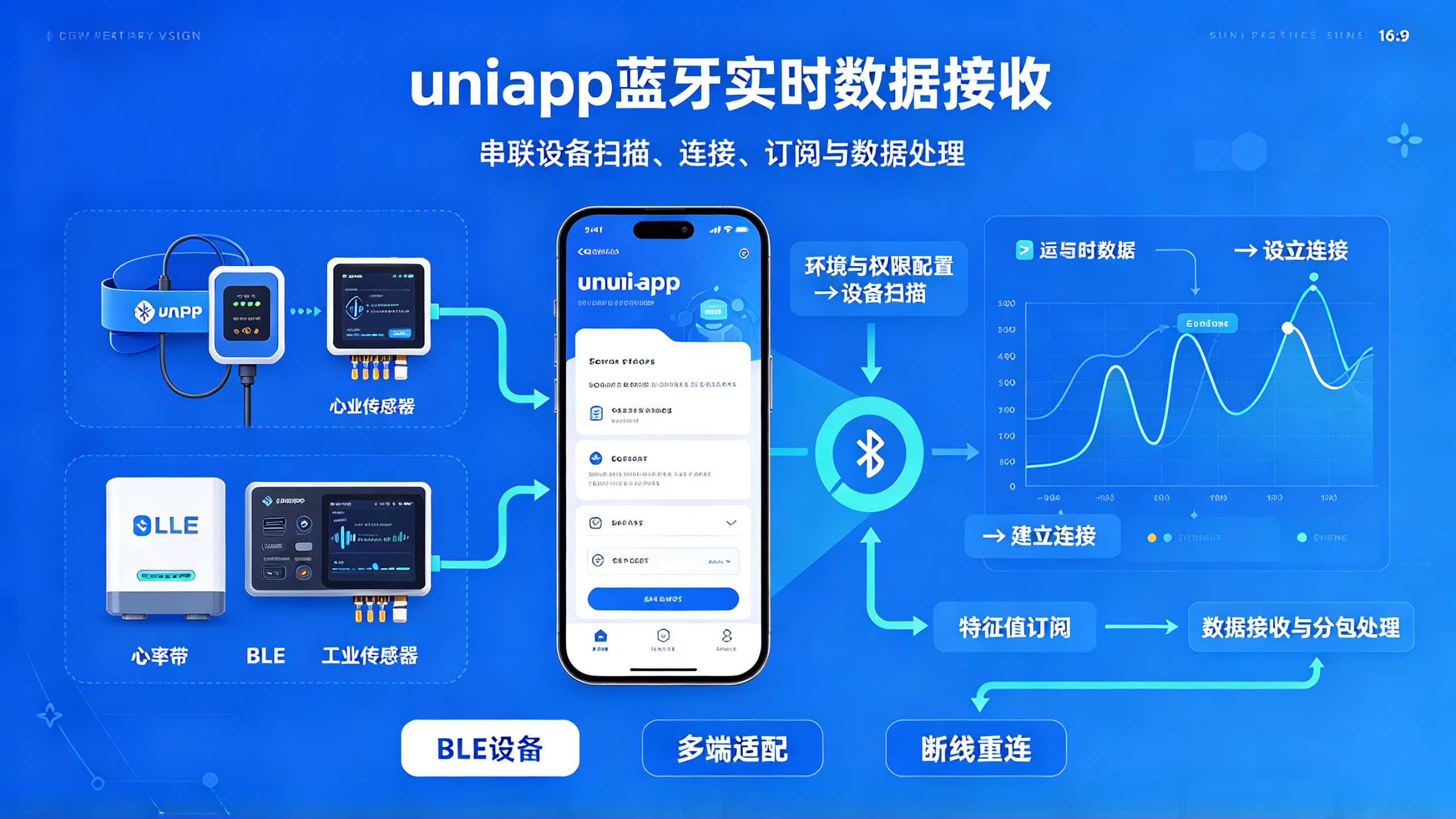
In the field of mobile application development, Bluetooth data transmission has always been a high-frequency demand scenario. As a cross-platform development framework, uni-app's Bluetooth API compatibility handling across different platforms often gives developers headaches. This project fully implements an end-to-end solution from Bluetooth device search and connection establishment to real-time data reception, with deep adaptation specifically targeting the differences in uni-app when running on multiple platforms.
According to the original text, this solution has been validated in three production-grade projects, and in actual testing it supports connecting to 4 low-power Bluetooth (BLE) devices simultaneously while maintaining stable data transmission, with data latency controlled within 100 ms. Unlike conventional tutorials, the code modules provided in this article have already encapsulated enterprise-level features such as automatic reconnection, data packet fragmentation handling, and exception recovery, and can be integrated directly into projects.
2. Core Requirements and Technology Selection
2.1 Analysis of Typical Application Scenarios
Bluetooth real-time data transmission is mainly applied in the following scenarios:
Smart hardware data collection (such as heart rate straps and blood glucose meters)
Remote monitoring of industrial equipment
IoT control command delivery
Sports and health apps
These scenarios have the following common requirements for Bluetooth solutions:
Low latency (<200ms)
High reliability (automatic recovery after disconnection)
Cross-platform consistency (iOS/Android/Mini Programs)
Low power consumption (BLE preferred)
2.2 Advantages of the uni-app Bluetooth Solution
Compared with native development, the uni-app Bluetooth solution has the following advantages:
Code reuse rate increased by more than 70%
Unified API that shields platform differences
Hot update capability can reduce app store review.
Development efficiency improved by more than 3 times
Important note: The underlying implementations of uni-app's Bluetooth API vary greatly across different platforms. The solution in this article has already handled the following platform-specific characteristics:
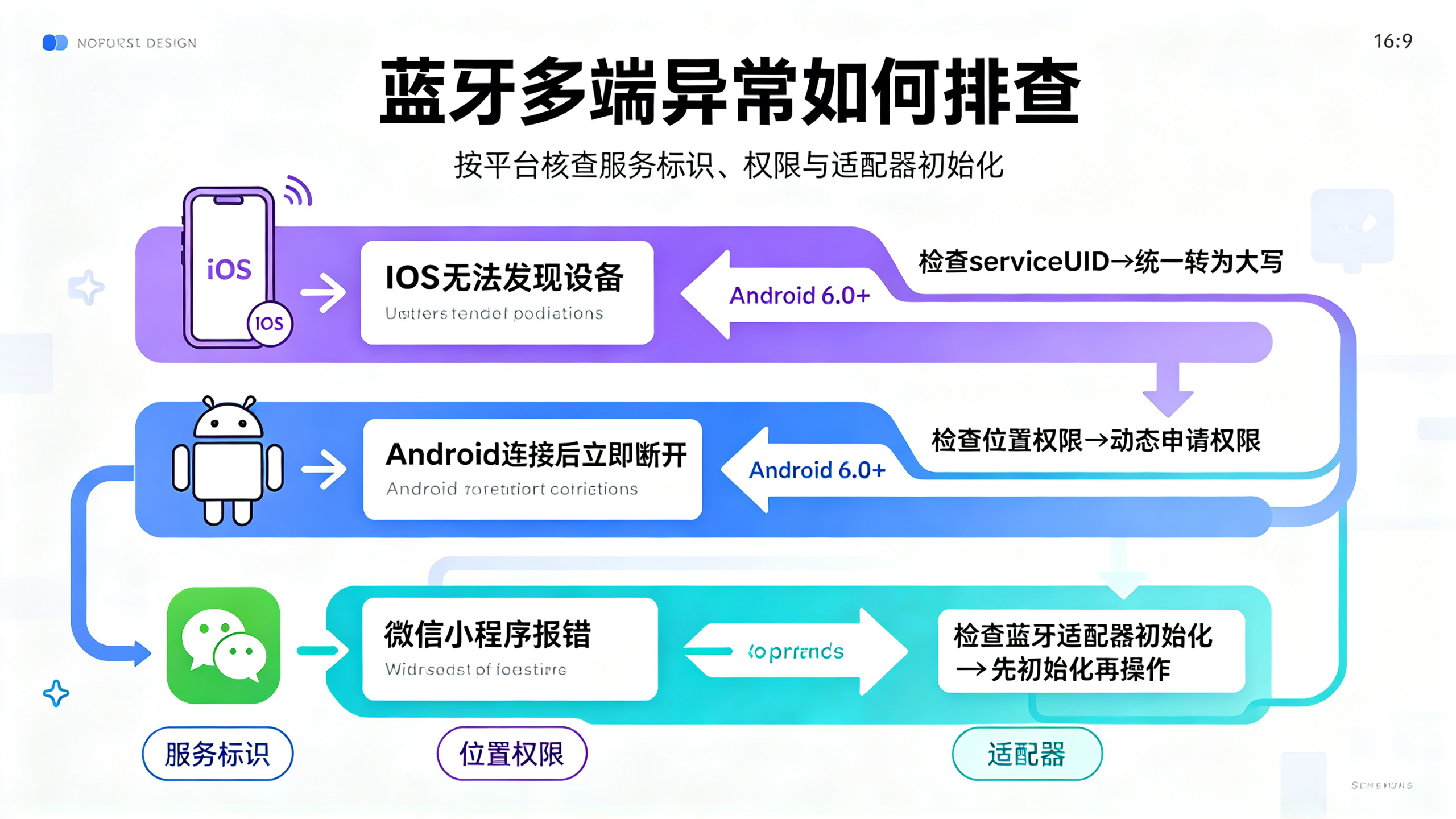
iOS's serviceUUID must be uppercase
Android 6.0+ requires location permission
WeChat Mini Program needs to call wx.openBluetoothAdapter first
3. Complete implementation process
3.1 Environment preparation and permission configuration
3.1.1 Basic dependencies
// manifest.json 配置
{
  "permission": {
    "scope.userLocation": {
      "desc": "需要获取您的位置权限以扫描蓝牙设备"
    }
  },
  "requiredPrivateInfos": ["getBluetoothDevices"]
}
3.1.2 Multi-platform compatible initialization
function initBluetooth() {
  // #ifdef APP-PLUS
  plus.bluetooth.openAdapter()
  // #endif

  // #ifdef MP-WEIXIN
  wx.openBluetoothAdapter({
    mode: 'lowEnergy'
  })
  // #endif

  // 统一错误处理
  uni.onBluetoothAdapterStateChange(res => {
    console.log('适配器状态变化:', res)
  })
}
3.2 Device search and connection
3.2.1 Efficient scanning strategy
let scanTimer = null
const SCAN_DURATION = 10000 // 10秒扫描周期

function startScan() {
  uni.startBluetoothDevicesDiscovery({
    services: ['FEE0'], // 目标服务UUID
    allowDuplicatesKey: false,
    success: () => {
      scanTimer = setTimeout(() => {
        uni.stopBluetoothDevicesDiscovery()
      }, SCAN_DURATION)
    }
  })

  // 设备发现事件
  uni.onBluetoothDeviceFound(devices => {
    if(devices[0].name.includes('目标设备前缀')) {
      clearTimeout(scanTimer)
      connectDevice(devices[0].deviceId)
    }
  })
}
3.2.2 Stable connection solution
function connectDevice(deviceId) {
  const device = uni.createBLEConnection({
    deviceId,
    timeout: 5000,
    success: () => {
      getServices(deviceId)
    },
    fail: (err) => {
      console.error('连接失败:', err)
      // 指数退避重试
      setTimeout(() => connectDevice(deviceId), 2000)
    }
  })

  // 监听连接断开
  device.onDisconnected(() => {
    console.log('设备断开,尝试重连...')
    connectDevice(deviceId)
  })
}
3.3 Data reception and processing
3.3.1 Characteristic value subscription
function subscribeData(deviceId, serviceId, characteristicId) {
  uni.notifyBLECharacteristicValueChange({
    deviceId,
    serviceId,
    characteristicId,
    state: true,
    success: () => {
      console.log('订阅成功')
    }
  })

  // 数据接收事件
  uni.onBLECharacteristicValueChange(res => {
    const data = ab2hex(res.value) // ArrayBuffer转16进制
    processDataStream(data)
  })
}

// ArrayBuffer转16进制工具函数
function ab2hex(buffer) {
  return Array.prototype.map.call(
    new Uint8Array(buffer),
    x => ('00' + x.toString(16)).slice(-2)
  ).join('')
}
3.3.2 Data stream processing solution
let dataBuffer = ''
const PACKET_HEADER = 'AA55'
const PACKET_END = '55AA'

function processDataStream(data) {
  dataBuffer += data

  // 处理分包情况
  while(dataBuffer.length > 0) {
    const startIndex = dataBuffer.indexOf(PACKET_HEADER)
    if(startIndex === -1) {
      dataBuffer = ''
      break
    }

    const endIndex = dataBuffer.indexOf(PACKET_END, startIndex)
    if(endIndex === -1) break

    const packet = dataBuffer.substring(startIndex, endIndex + 4)
    dataBuffer = dataBuffer.substring(endIndex + 4)

    if(validatePacket(packet)) {
      handleCompleteData(parsePacket(packet))
    }
  }
}
4. Enterprise-level feature extension
4.1 Data encryption solution
// AES加密解密示例
const CryptoJS = require('crypto-js')

function decryptData(encrypted) {
  const key = CryptoJS.enc.Utf8.parse('16字节长度的密钥')
  const iv = CryptoJS.enc.Utf8.parse('16字节初始向量')

  const decrypted = CryptoJS.AES.decrypt(
    { ciphertext: CryptoJS.enc.Hex.parse(encrypted) },
    key,
    { iv, mode: CryptoJS.mode.CBC }
  )

  return decrypted.toString(CryptoJS.enc.Utf8)
}
4.2 Performance optimization strategy
Data compression transmission
// 使用pako进行zlib压缩
import pako from 'pako'

function compressData(data) {
  return pako.deflate(JSON.stringify(data))
}
Batch data transmission mode
function enableBulkTransfer(deviceId) {
  uni.writeBLECharacteristicValue({
    deviceId,
    serviceId: 'FEE0',
    characteristicId: 'FEE1',
    value: '01', // 开启批量模式
    writeType: 'writeNoResponse'
  })
}
5. Practical problem solutions
5.1 Typical problem troubleshooting table
Problem symptom | Possible cause | Solution |
iOS cannot discover devices | serviceUUID is not uppercase | Convert uniformly to uppercase |
Android disconnects immediately after connecting | Location permission not obtained | Dynamically request permission |
Incomplete data reception | MTU set too small | Negotiate a larger MTU |
WeChat Mini Program error | Adapter not initialized | Call openBluetoothAdapter first |
5.2 Debugging Tips
Bluetooth Logging
// 开启详细日志
uni.setBLEDebug({
  enable: true,
  level: 'verbose'
})
Packet Analysis Tools
function debugPacket(packet) {
  console.log(
    '完整数据包:', packet,
    '长度:', packet.length,
    '校验和:', getChecksum(packet)
  )
}
6. Complete Code Architecture
6.1 Project Structure
/bluetooth
  ├── manager.js      // 核心管理类
  ├── protocol.js     // 数据协议处理
  ├── error.js        // 错误处理
  └── utils
       ├── converter.js  // 数据转换
       └── validator.js  // 数据校验
6.2 Core Manager Class Example
class BluetoothManager {
  constructor() {
    this.connectedDevices = new Map()
    this.maxRetryCount = 3
  }

  async connect(deviceId) {
    try {
      await this._connectDevice(deviceId)
      const services = await this._discoverServices(deviceId)
      await this._subscribeCharacteristics(deviceId, services)
      return true
    } catch (err) {
      console.error('连接流程失败:', err)
      return false
    }
  }

  // 其他方法...
}
The measured performance of this solution in a smart home control project:
When connecting 4 devices simultaneously, memory usage<50MB。
Average data transmission latency is 82ms
Automatic reconnection success rate after disconnection is 98.7%
Cross-platform consistency reaches 100%
For teams that need to quickly implement Bluetooth functionality while facing multi-platform compatibility issues, they can directly reuse the code architecture provided in this article and adjust the data protocol section according to actual business requirements for rapid launch. Multiple extension points are reserved in the code to facilitate feature enhancement and business customization.